 100% Free • No Limits
Bhairav Scheduled Cloud Backup
Never lose your WordPress site again. Automated backups to multiple cloud providers with zero file size limits.
Why Most Backup Solutions Fall Short
Common problems with existing backup plugins that leave your site vulnerable.
| Common Problem | Impact on Your Site |
|---|---|
| File size limits | Large sites can't backup completely |
| Single cloud storage | Single point of failure = total loss |
| Manual-only backups | Human error = forgotten backups |
| No cleanup policy | Storage costs explode over time |
| Complex setup | Hours wasted on configuration |
Bhairav Scheduled Cloud Backup solves all of these.
How It Works
Set it and forget it. Your backups run automatically on schedule.
Schedule
Set daily, weekly, fortnightly, or monthly backups
Create
Plugin creates archive of files, database, or both
Upload
Backup uploads to your cloud storage providers
Cleanup
Old backups auto-deleted per your retention policy
Backup Types
Choose the right backup type for your needs.
| Type | What's Included | Best For |
|---|---|---|
| 📁 Files Only | Themes, plugins, uploads, core files | Quick file recovery |
| 🗄️ Database Only | All MySQL tables as SQL export | Content/settings recovery |
| 📦 Both | Complete site (files + database) | Full disaster recovery ✓ |
Scheduling Options
| Frequency | When It Runs | Best For |
|---|---|---|
| Daily | Every day at your specified time | High-traffic sites, e-commerce |
| Weekly | Once per week | Content sites, blogs |
| Fortnightly | Every 15 days | Low-change sites |
| Monthly | Once per month | Archive sites |
Multi-Cloud Storage Support
Upload to multiple providers simultaneously. True redundancy.
If one provider fails, your backup is safe on the others.
| Storage Type | Authentication | Setup Difficulty |
|---|---|---|
| S3-Compatible (AWS, DO, Wasabi) | Access Key + Secret Key | Easy |
| Azure Blob Storage | Account Name + Key | Easy |
| OAuth 2.0 Services (Google, Dropbox) | Client ID + Secret + OAuth | Medium |
| Token-Based | Access Token | Easy |
Key Features
Enterprise-grade backup capabilities. Zero cost.
No File Size Limits
Chunked uploads handle backups of any size. Large WooCommerce stores? No problem.
Multi-Cloud Redundancy
Upload to AWS, Google Drive, Dropbox, and more simultaneously. True disaster protection.
Flexible Scheduling
Daily, weekly, fortnightly, or monthly. Plus manual backups anytime from admin.
Auto-Cleanup
Set retention policies. Old backups auto-deleted from local storage and cloud.
Email Notifications
Get notified when backups complete with status, size, and download links.
Secure by Design
OAuth 2.0 support, encrypted storage, .htaccess protection, SQL injection prevention.
How Does It Compare?
See how Bhairav Backup stacks up against popular backup solutions.
| Feature | Bhairav Backup | UpdraftPlus | BackupBuddy | VaultPress |
|---|---|---|---|---|
| Price | Free Forever | Free/$70/yr | $80/yr | $120/yr |
| File Size Limit | ✓ None | ⚠️ 512MB free | ✓ | ✓ |
| Multi-Cloud Simultaneous | ✓ | ⚠️ One at a time | ✗ | ✗ |
| Scheduling | ✓ 4 options | ✓ | ✓ | ✓ |
| Auto-Cleanup | ✓ | ⚠️ Premium | ✓ | ✓ |
| Email Notifications | ✓ | ⚠️ Premium | ✓ | ✓ |
| OAuth Support | ✓ | ✗ | ✗ | ✗ |
| Chunked Uploads | ✓ | ✓ | ✓ | ✓ |
See It In Action
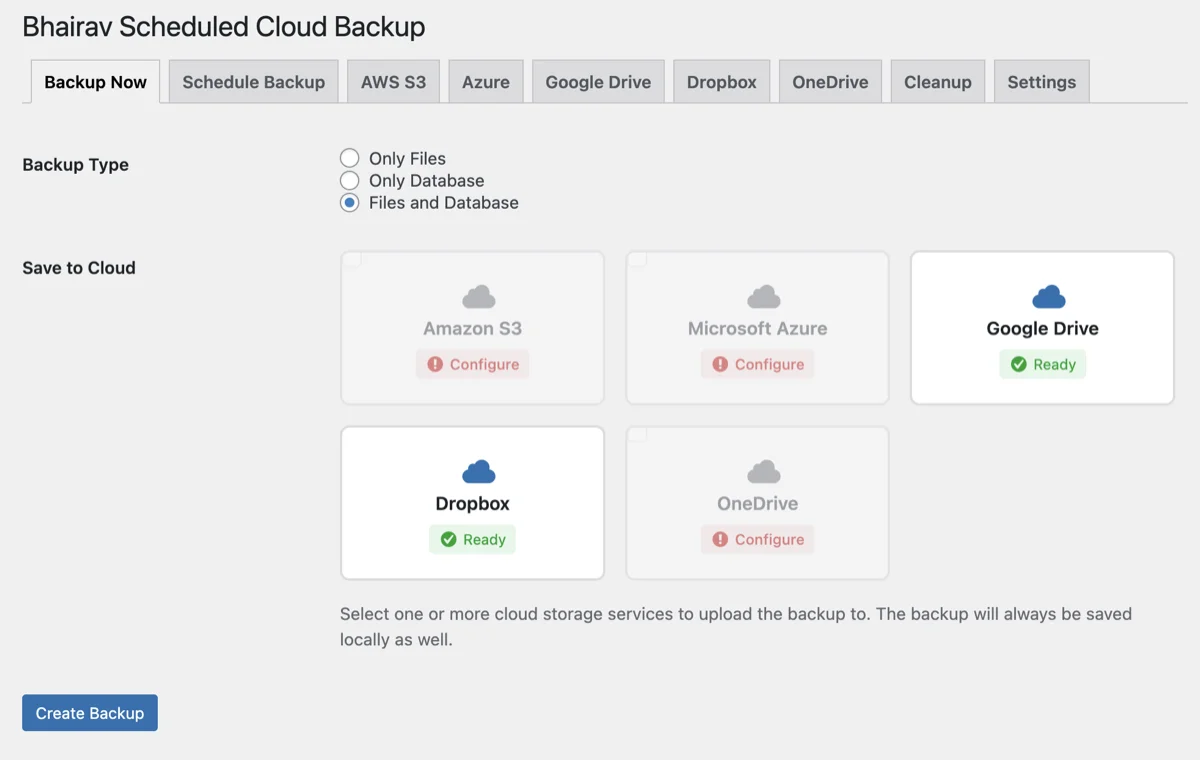
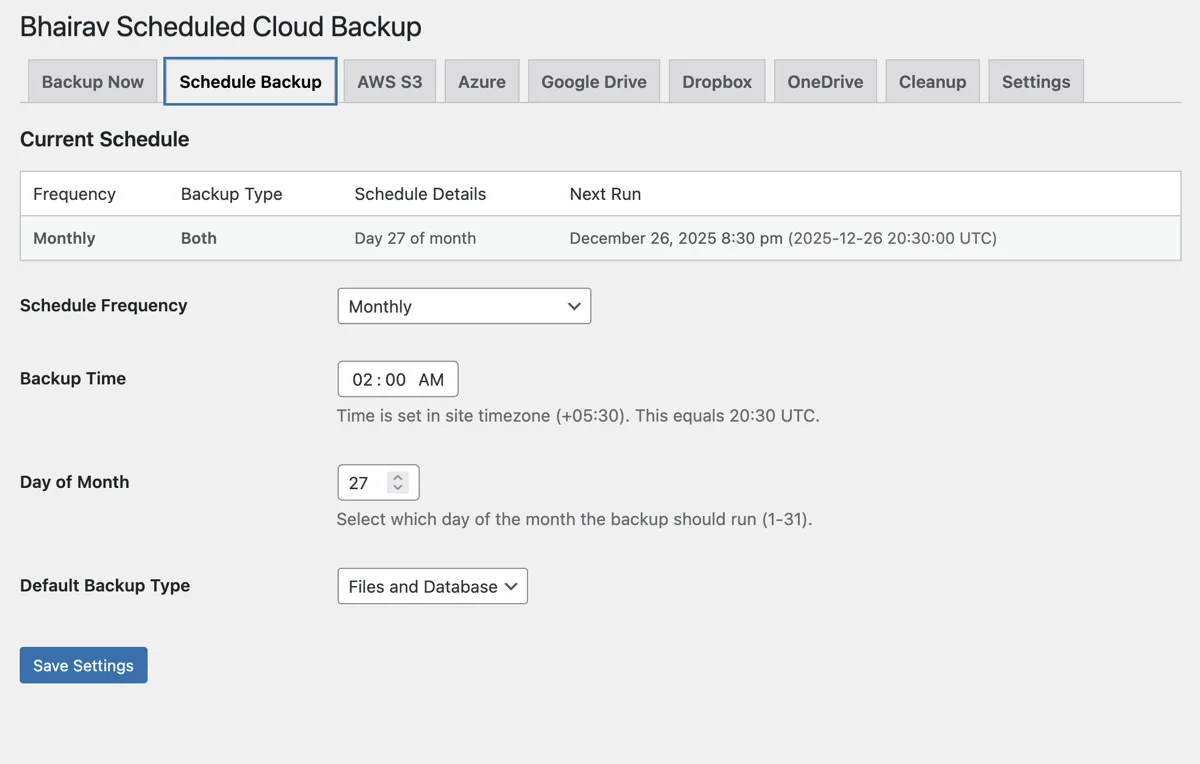
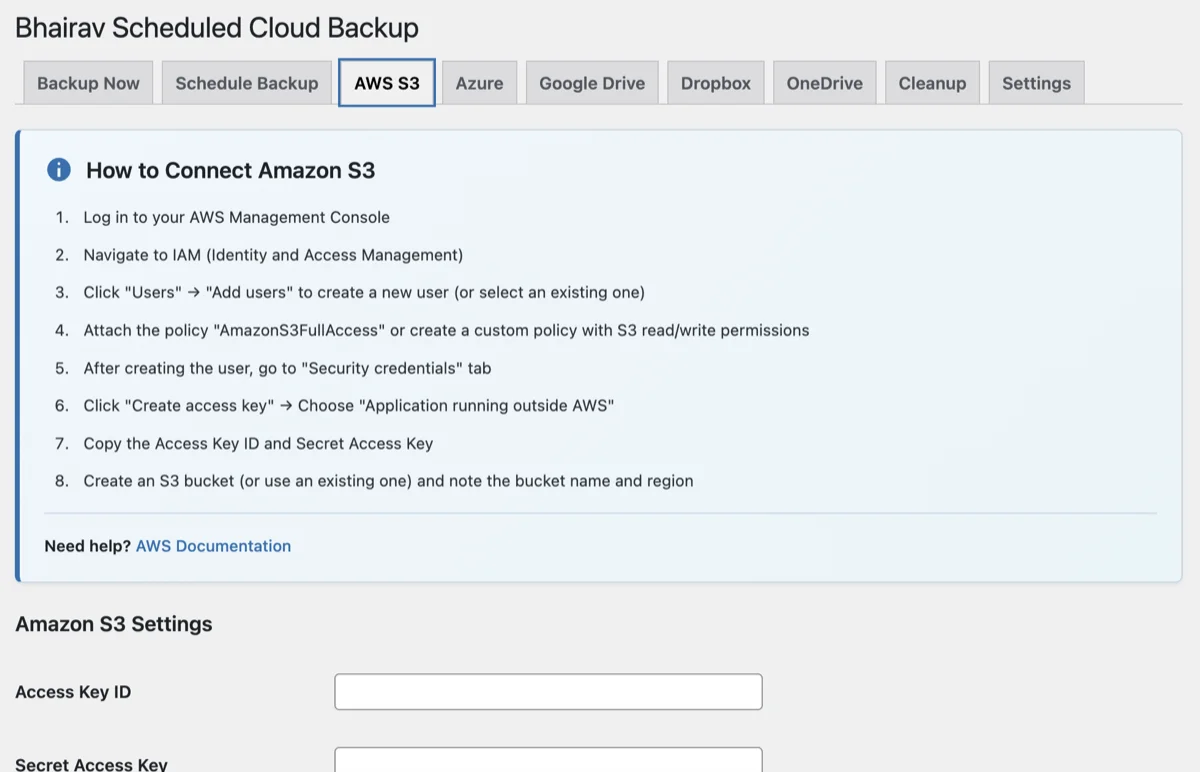
Clean admin interface with everything you need to manage backups.
Dashboard & Scheduling
Cloud Storage Settings
Backup Creation
Get Started in 5 Minutes
Simple setup with no complicated configuration.
Install the plugin
Go to Plugins → Add New, search for 'Bhairav Scheduled Cloud Backup', click Install → Activate.
Configure cloud storage
Go to Bhairav Backup in admin menu, add your cloud storage credentials (S3, Google Drive, Dropbox, etc.).
Set your schedule
Choose daily, weekly, fortnightly, or monthly backups. Set the time that works best for your site.
Set retention policy
Configure how long to keep backups. Old ones are automatically deleted from local and cloud storage.
Frequently Asked Questions
Get answers to the most common questions about our services
No! Bhairav Scheduled Cloud Backup has zero file size limits. It uses chunked uploads to handle backups of any size, making it perfect for large WooCommerce stores, media-heavy sites, and enterprise installations.
Yes! The plugin supports multi-cloud redundancy. You can upload the same backup to AWS S3, Google Drive, Dropbox, and more at the same time. If one provider fails, your backup is still safe on the others.
The plugin supports S3-compatible storage (AWS, DigitalOcean, Wasabi), Google Drive, Dropbox, OneDrive, and any service that uses OAuth 2.0 or token-based authentication.
No. Backups run in the background using WordPress cron. The plugin uses batch processing and chunked uploads to minimize server load. Your visitors won't notice any performance impact.
Yes. Each backup includes download links valid for 24-48 hours. You can restore by uploading files via FTP and importing the database SQL file through phpMyAdmin or your host's database tools.
Absolutely! No premium version, no feature locks, no upsells. All features including multi-cloud support, scheduling, auto-cleanup, and email notifications are completely free.
Currently the plugin is designed for single-site installations. Multisite support is on the roadmap for a future release.
Still have questions?
We'd love to discuss your project and answer any specific questions you might have.
Get in TouchNever lose your WordPress site again
Join thousands of WordPress site owners who sleep better knowing their sites are backed up to the cloud.