Hungry Resource Monitor
Monitor memory, CPU, and resource usage. Detect bloat from plugins, themes, and database. Weekly reports and optimization tips.
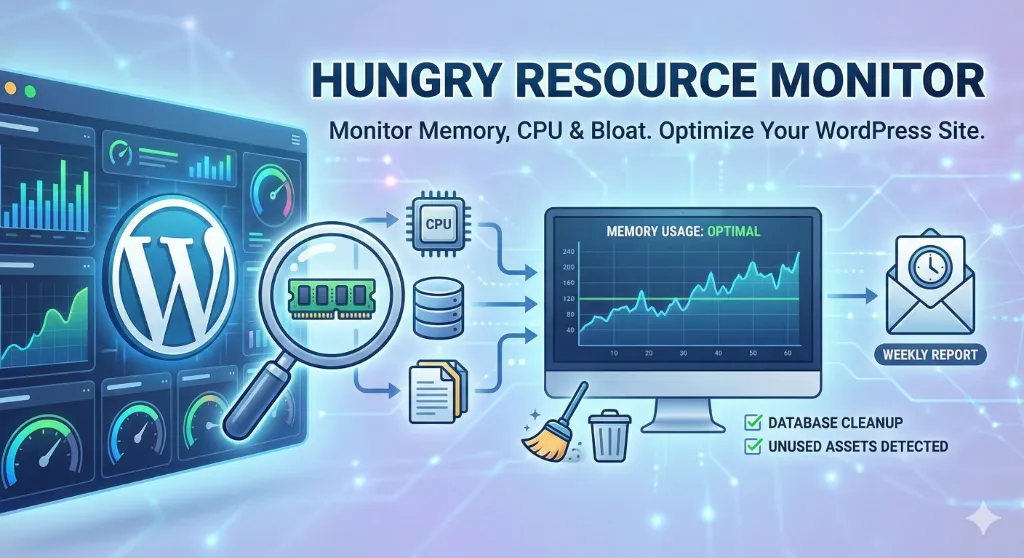
Why Monitor Your Resources?
WordPress sites can slow down over time. Plugins, themes, and database bloat consume resources silently. Take control with real data.
Identify Resource Hogs
Find out which plugins and themes consume the most memory and queries.
Clean Database Bloat
Remove revisions, drafts, spam, transients, and orphaned data safely.
Automated Reports
Receive daily, weekly, or monthly performance reports via email.
How It Works
Simple setup, powerful insights.
Activate
Install and activate — tracking begins immediately
Monitor
Each page load is analyzed for memory, queries, and time
Analyze
View top resource consumers in your dashboard
Optimize
Use cleanup tools and reports to improve performance
Key Features
Everything you need to keep WordPress running fast.
Dashboard & Monitoring
View top 5 resource consumers at a glance. Real-time memory and query statistics with per-request tracking.
Server Limits Display
PHP memory limits, max execution time, upload limits, and complete server environment overview.
Database Cleanup Tools
Remove revisions, drafts, trashed posts, spam comments, expired transients, and orphaned postmeta.
Cron Management
View all scheduled WordPress cron jobs, identify orphaned crons, and one-click removal of stale events.
Email Reports
Configurable daily, weekly, or monthly reports with performance summaries and optimization tips.
Unused Asset Detection
Find and delete inactive plugins and unused themes consuming server space safely.
Perfect For
Whether you manage one site or many, resource monitoring helps you stay ahead.
Performance Debugging
Identify which plugins or themes consume the most resources
Database Optimization
Clean up bloat from revisions, drafts, spam, and orphaned data
Server Monitoring
Keep track of server limits and resource availability
Proactive Maintenance
Receive regular reports before performance issues become critical
Site Auditing
Evaluate resource usage before and after installing new plugins
Hosting Optimization
Make informed decisions about hosting resources based on actual usage
Get Started in 2 Minutes
No configuration required. Just install, activate, and start monitoring.
Install the plugin
Go to Plugins → Add New in WordPress, search for 'Hungry Resource Monitor', click Install → Activate.
View your dashboard
Navigate to 'Resource Monitor' in your admin menu to see real-time stats.
Configure settings (optional)
Set up email reports, configure data retention, and customize to your needs.
Clean up & optimize
Use the cleanup tools to remove bloat and improve your site's performance.
Frequently Asked Questions
Get answers to the most common questions about our services
No. The plugin uses minimal resources and only tracks data on page load. The tracking overhead is negligible and designed to have virtually no impact on your site's performance. Tracking can be completely disabled in settings if needed.
By default, 30 days. This is configurable in Settings. You can increase or decrease the retention period based on your needs and database size considerations.
Yes. Resource tracking happens at the PHP level before output caching, so it works seamlessly with all major caching plugins including WP Super Cache, W3 Total Cache, LiteSpeed Cache, and others.
No. The cleanup tools only remove data that is safe to delete (revisions, drafts, spam, trash, expired transients, orphaned metadata). However, as with any database operation, we recommend backing up your site before performing cleanup operations.
Yes, the plugin works on both single-site and multisite WordPress installations. On multisite, monitoring is performed per-site.
Yes! You can configure reports to be sent daily, weekly, or monthly. Simply adjust the settings in the plugin's Settings tab.
No. All data is stored locally in your WordPress database. No data is sent to external servers or third-party services.
Still have questions?
We'd love to discuss your project and answer any specific questions you might have.
Get in TouchReady to optimize your WordPress site?
Join site owners who proactively monitor and optimize their WordPress performance.