Axios Was Backdoored! Your App & Client Data Could Be Exposed. Let’s Audit & Fix It
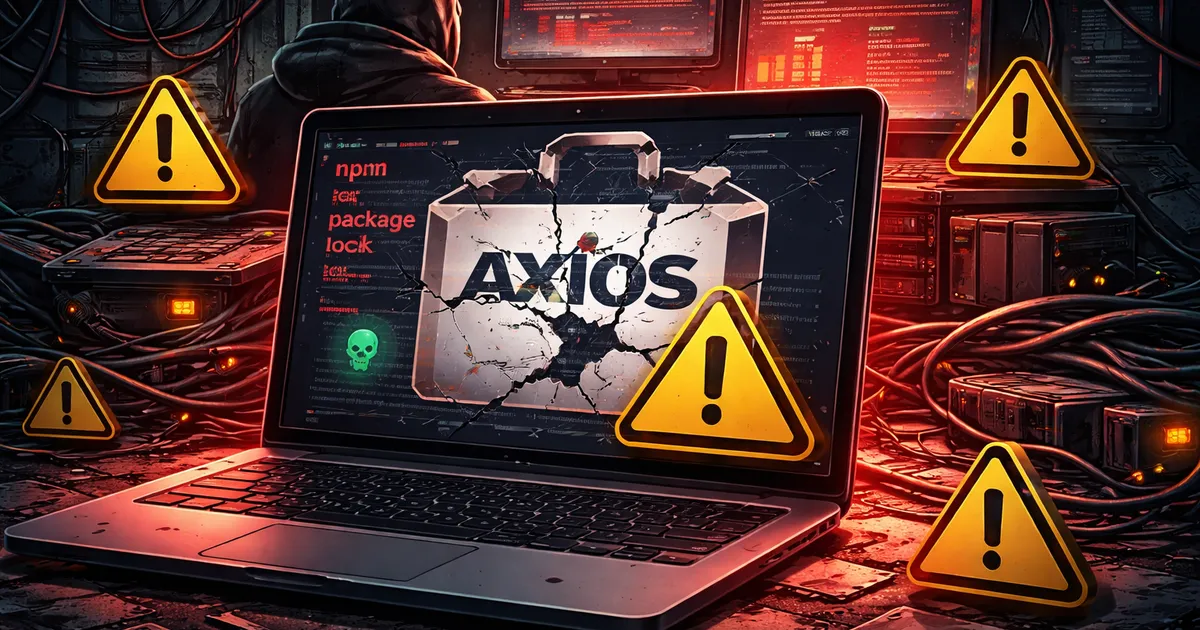
On March 31, 2026, between midnight and 3:30am UTC, someone compromised the npm account of the axios maintainer. They used that access to publish two backdoored versions of axios — the HTTP client that's in roughly 80% of production JavaScript environments.
The malware didn't announce itself. It installed silently as a dependency. It ran a script that contacted a remote server, downloaded a platform-specific Remote Access Trojan, and then erased its own tracks. By the time most teams woke up, the backdoored versions were already pulled from npm.
But the RAT was still running on every system that installed them.
This is not a "could have been bad" story. For some teams, it already is bad.
What Axios Even Is (And Why Scale Matters Here)
If you build anything in JavaScript, there's a very high chance axios is in your stack. It's a simple, clean HTTP client — one of those packages you install once and forget about. Node.js projects use it. React apps use it. Backend services use it. CI/CD scripts use it.
It gets downloaded about 100 million times a week.
That's the thing about supply chain attacks. Attackers don't need to breach your company. They just need to get code into a package you already trust.
How the Attack Actually Worked
One Stolen Password
The attacker didn't find a vulnerability in axios. They found jasonsaayman — the primary maintainer — and compromised his npm account.
That's all it took. No zero-day. No sophisticated exploit chain. One set of stolen credentials and suddenly you have write access to a package with 100 million weekly downloads.
The entire trust model of open source is built on maintainer accounts. Most of those accounts have no MFA.
The Pre-Staged Trap
This wasn't improvised. Eighteen hours before the attack, a package called plain-crypto-js@4.2.0 was quietly published to npm. A legitimate-looking version. Nothing obviously malicious.
Then at 00:21 UTC, the attackers used the compromised axios account to publish two new versions:
axios@1.14.1— taggedlatestaxios@0.30.4— taggedlegacy
Both versions added plain-crypto-js@4.2.1 as a dependency. Npm's default behavior: install it automatically. No prompts. No warnings.
The Installer That Did More Than Install
plain-crypto-js@4.2.1 contained a postinstall script. When npm finishes installing a package, it runs these scripts automatically.
This one contacted a command-and-control server at sfrclak.com:8000, downloaded a platform-specific Remote Access Trojan — separate payloads for macOS, Windows, and Linux — installed it, then deleted the script and replaced the package's package.json with a clean decoy.
If you opened node_modules after it ran, nothing looked wrong.
The Persistent Backdoor
The RAT that got installed wasn't a smash-and-grab. It beaconed back to the attacker's server every 60 seconds. It gave them persistent remote access: read files, run commands, pull credentials — anything accessible on that machine or container.
The window was roughly three hours. In that time, across 100 million weekly downloads, exposure was significant. Google's Threat Intelligence Group observed the RAT actually executing in approximately 3% of affected environments.
3% sounds small. 3% of 100 million doesn't.
What Was Actually Exposed
If this ran in your environment, here's what the attacker could have accessed:
- npm tokens — giving them publish access to your own packages
- Cloud credentials — AWS access keys, GCP service account tokens, Azure secrets sitting in environment variables
- SSH private keys — access to servers, git repositories, deployment targets
- CI/CD secrets — GitHub Actions secrets, GitLab CI variables, CircleCI environment values
.envfiles — database connection strings, API keys, internal service credentials- Anything in the filesystem the process could read
Your CI/CD runner is the most dangerous target here. By design, it has access to your production deployment credentials. It exists to push code to production. That makes it a very attractive foothold.
If your runner installed this and your cloud keys were in the environment, assume they were read. Don't verify first. Rotate first.
Were You Affected?
Check Your Lockfile
Pull up package-lock.json or yarn.lock and search for:
axios@1.14.1
axios@0.30.4
plain-crypto-js
If any of those appear, you were exposed. The presence of plain-crypto-js anywhere in your lockfile is a direct indicator.
Check Your Build Logs
If your CI/CD pipeline runs on every commit and uses npm install, check the build logs for any runs that happened on March 31 between 00:21 and 03:30 UTC. If a build completed during that window, it likely installed the backdoored version.
Quick Check
Run this in your project directory:
bash
# Check which axios version is installed
npm list axios

# Check if the malicious dependency is present
ls node_modules/plain-crypto-js 2>/dev/null && echo "FOUND — investigate immediately" || echo "Not present in node_modules"
One important caveat: the malware script deleted itself. The absence of plain-crypto-js in your current node_modules does not mean it wasn't installed during the attack window. If your lockfile shows it, or if you ran npm install on March 31 between those hours, treat it as a confirmed exposure.
What to Do Right Now
If You Weren't Affected
Pin to a safe version immediately.
bash
npm install axios@1.14.0
# or for the 0.x line
npm install axios@0.30.3
Commit the lockfile. Don't wait for axios to release a follow-up version before auditing it.
While you're at it: add --ignore-scripts to your CI install step.
bash
# Instead of:
npm install

# Use:
npm ci --ignore-scripts
This prevents postinstall scripts from running automatically. It's been a recommended practice for years. This incident is a good reason to finally do it.
If You Were Affected
Do not try to clean up in place. Treat the system as compromised.
Step 1: Isolate. Take the affected machine or container offline. Don't continue using it while you investigate.
Step 2: Rotate everything. This is not optional. Rotate:
- npm access tokens
- AWS/GCP/Azure credentials
- SSH private keys
- GitHub deploy keys
- All CI/CD environment secrets
- Any
.envvalues that were present on the system
Rotate them before you do anything else. An attacker with persistent access can exfiltrate new credentials as fast as you set them.
Step 3: Audit access logs. Check your cloud provider's CloudTrail (AWS) or equivalent for API calls made after the install window. Look for unusual access patterns, new IAM users, or calls from unfamiliar IP addresses or regions.
Step 4: Look for persistence mechanisms. Check for new cron jobs, systemd services, authorized SSH keys, or startup scripts added around March 31. The RAT may have tried to establish persistence beyond the running process.
Step 5: Don't investigate solo on a live system. If you don't have internal security resources, get outside help. Forensics on a potentially compromised system requires care — you can destroy evidence or miss something that matters.
The Bigger Problem: CI/CD Runs as a Privileged User
Most teams think about application security. Port security. WAFs. Auth flows. Those are real concerns.
But the CI/CD pipeline often has more access than any application process. It has to. It's the thing that deploys to production. It knows where production is, how to get there, and has the credentials to do it.
When you run npm install in a pipeline without --ignore-scripts, you are executing arbitrary code from third-party packages — with all those privileges.
A postinstall script runs with the same permissions as your CI runner. Most runners have access to production.
This isn't new information. Security teams have known about this vector for years. But in practice, almost nobody changes the default behavior because it's never been a problem. Until it is.
The axios incident forced this conversation. The question is whether you have it now — before your specific stack is targeted — or after.
Attribution: Why North Korea Matters to Your Business
Google's Threat Intelligence Group has attributed this to UNC1069 — a suspected North Korean threat actor.
State-sponsored attackers operate on a different timeline than opportunistic hackers. They pre-staged this attack 18 hours in advance. They built separate payloads for macOS, Windows, and Linux. They designed the malware to erase its own tracks. This is patient, deliberate, professional work.
They are not going to stop because this one got caught. They are going to adapt and try again — with other packages, other maintainers, other registries.
The targeting of JavaScript's package ecosystem is not a one-time event. It's a strategy.
Hardening Your Stack Going Forward
None of these are complicated. They just require deciding to do them.
Lock your dependencies. Commit your lockfile. Use exact version pins. Don't let automated tools silently bump versions without a human reviewing the diff.
Kill postinstall scripts in CI. Add --ignore-scripts to every npm ci call in your pipelines. Test which packages legitimately need it (usually native modules). Audit those explicitly.
Add a 72-hour quarantine buffer. npm config set min-release-age 3 tells npm to hold newly published package versions for 72 hours before installing them. Most supply chain attacks are detected and pulled within that window. This one was.
Isolate CI credentials. Your CI runner shouldn't have your master AWS admin credentials. Create environment-specific service accounts with the minimum access needed. If a runner is compromised, the blast radius should be contained.
Audit your direct and indirect dependencies. npm audit catches known vulnerabilities, but it doesn't catch newly published malicious packages. Tools like Socket.dev or Snyk can monitor your dependency tree for suspicious new packages, unusual postinstall scripts, and sudden maintainer changes.
Set up cloud access alerting. If your cloud credentials are used from a new IP or an unfamiliar region, you want to know immediately — not three weeks later when the breach shows up in your billing.
The Question Worth Sitting With
If you found out today that a CI runner with cloud credentials had a RAT on it for three hours last Tuesday, what would your team actually do?
Who gets called? What gets rotated? Who does the forensic review? How do you confirm what was accessed?
Most teams don't have clear answers to those questions until they need them. And when you need them, you needed them an hour ago.
That gap — between "we probably should think about this" and "we have a plan" — is where the real risk sits. Not in whether you use axios. In whether you'd catch what comes next.
If You Want a Second Set of Eyes
We work with engineering teams to audit exactly this kind of exposure: dependency chain security, CI/CD credential hygiene, secret management, and incident response readiness.
If you installed axios@1.14.1 or axios@0.30.4 and want help assessing the impact — or if you want to understand your actual risk posture before the next incident — get in touch.
This is the kind of thing that looks like a small problem until it isn't. It's much easier to close the gaps when nothing's on fire.
FAQs
How did the axios npm package get compromised?
The primary maintainer's npm account was compromised due to a stolen password. The attacker then used this access to publish two new backdoored versions (1.14.1 and 0.30.4) that secretly included a platform-specific Remote Access Trojan (RAT).
Which versions of axios were affected by the backdoor?
Versions 1.14.1 and 0.30.4 published on March 31, 2026, were affected. Both versions automatically pulled in a malicious dependency called 'plain-crypto-js'.
How can I check if my project was exposed to the axios backdoor?
Check your package-lock.json or yarn.lock for 'axios@1.14.1', 'axios@0.30.4', or 'plain-crypto-js'. You should also check your CI/CD build logs between 00:21 and 03:30 UTC on March 31.
What should I do if my system installed the compromised axios version?
Treat the system as completely compromised. Isolate the affected machine or container, and immediately rotate all cloud credentials, SSH keys, npm tokens, and CI/CD environment secrets before performing forensic analysis.
Work with us
Let's build something together
We build fast, modern websites and applications using Next.js, React, WordPress, Rust, and more. If you have a project in mind or just want to talk through an idea, we'd love to hear from you.
Related Articles
WordPress • 20 min
WordPress Core Is Moving to Node 24 and npm 11. Your Plugin Build Assumptions Are Next.
WordPress Core's Node 24 and npm 11 move is a practical prompt to audit plugin toolchains, CI images, lockfiles, and supported engines.
9/13/2026
Security • 16 min read
Website Security Essentials Every Business Should Implement
Practical, high‑impact security steps that protect your brand and your customers.
8/13/2025
Engineering • 20 min
Cloudflare Worker Previews for Safer Coding Agents
A practical guide to Cloudflare Worker Previews for coding agents, including CI setup, data isolation, access controls, testing, observability, and cleanup.
9/23/2026