Is Nextpress the True WordPress Killer? A 2026 Stack Analysis
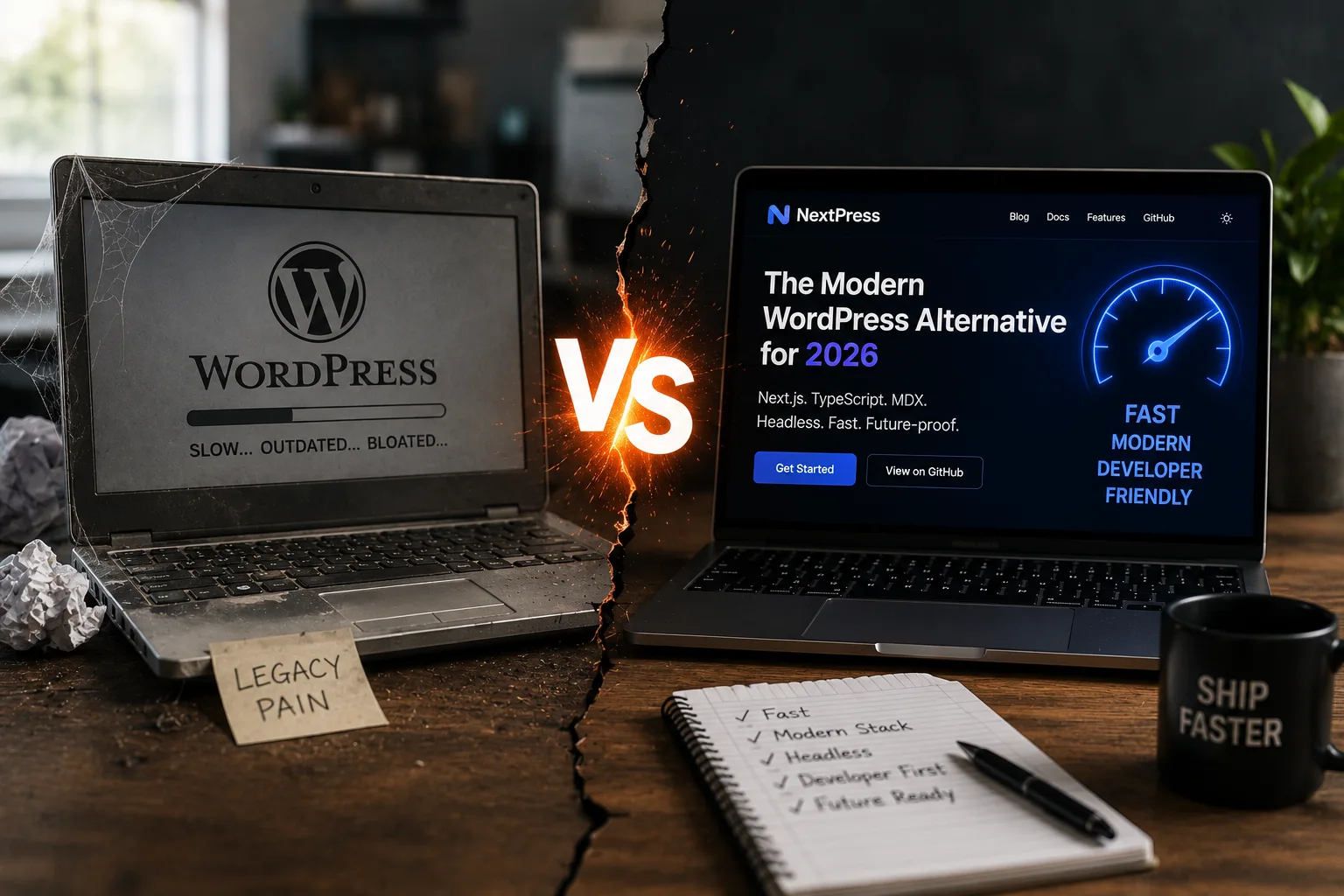
The 2026 Content Landscape: Is WordPress Actually Dying?
The Myth of the 'WordPress Killer'
The narrative that a new framework will kill WordPress repeats every three years. Jamstack promised it. Next.js promised it. Webflow promised it. The pattern holds because marketing teams need a villain to sell a solution. They position their tool as the replacement for the incumbent. This creates a false binary in the developer’s mind.
The comparison is technically flawed.
WordPress is to MySQL what Next.js is to Redis. One manages persistent relational data. The other handles in-memory caching or server-side rendering logic. They solve different problems. Comparing them ignores the architectural reality of the web stack. You cannot replace a database with a rendering engine.
WordPress still powers roughly 43% of the web in 2026. That number is stable but shifting. Its dominance is moving from "default" to "legacy" in high-performance sectors. Enterprise teams are moving away from monolithic setups. They are not abandoning content management. They are abandoning the coupling of content and presentation.
Modern alternatives often mask this reality with noise. They claim to replace the CMS utility. In practice, they just offer a different way to manage that utility. The core function of storing and serving content remains unchanged. The marketing hype obscures the technical fact.
DEV Community articles from 2025 highlight this cycle. Mike Adeleye noted that the "dying" narrative ignores the stability of the core engine. Market share statistics show WordPress holding ground in small and medium businesses. The shift is visible in large-scale enterprise deployments. The "killer" is not the technology. It is the changing definition of performance.
Technical Debt vs. Platform Flaws
Critics claim WordPress is slow. This claim usually misses the root cause. The slowness comes from poor architecture, not the PHP engine. A poorly configured server will choke under any load. A bloated plugin ecosystem will drag down any site. The core engine is efficient. The surrounding ecosystem is often messy.
Most performance complaints stem from misconfigured servers. Heavy page builders inject unnecessary DOM nodes. Unoptimized themes load unused CSS and JavaScript. These are choices made by the implementer. They are not forced by the platform. Blaming WordPress for a bad build is like blaming a hammer for a crooked nail.
Modern server stacks have mitigated traditional bottlenecks. Varnish and Nginx handle static caching effectively. Redis manages session data and object caching. These tools separate the heavy lifting from the PHP execution. The "slow CMS" narrative ignores this infrastructure layer.
Code Example: Basic Varnish Cache Configuration for WordPress
sub vcl_recv {
    if (req.method == "GET" && std.beresp.uncacheable) {
        return (pass);
     }
    if (req.url ~ "wp-login") {
        return (pass);
     }
    return (hash);
}

sub vcl_fetch {
    if (beresp.status == 200) {
        set beresp.ttl = 1h;
        set beresp.http.Cache-Control = "public, max-age=3600";
     }
}
This configuration shows how caching offloads work from PHP. It bypasses the database for repeated requests. The speed comes from the cache layer, not the code. Smashing Magazine articles on modern stacks confirm this approach. Headless setups suffer from their own complexity. They trade server speed for network latency. The trade-off is rarely worth it for simple content.
The Developer Experience Perception Gap
Frontend developers find WordPress clunky. This feeling is real and measurable. The friction comes from the PHP-based admin interface. It feels dated compared to React or Vue. The component-driven DX of modern JS frameworks feels fluid. The theme structure in WordPress feels rigid.
This gap drove the headless movement. Developers wanted the DX of React. They wanted the content management of WordPress. They separated the two. The headless approach solved the DX problem. It created a new architectural problem. The coupling was broken. The complexity increased.
The rise of headless CMS adoption rates in 2025 reflects this tension. Teams wanted modern tooling. They did not want to rebuild content workflows. The solution was a decoupled architecture. This worked for large teams. It failed for small teams with limited resources.
Code Example: React Component vs. PHP Template Structure
The React code is declarative. The PHP code is imperative. Frontend developers prefer the declarative style. They find the imperative style verbose. This preference drives the perception of WordPress as outdated. The emerging trend is bringing modern DX back into the CMS. The goal is to merge the two worlds. The "killer" narrative ignores this convergence.
Why the Comparison is Misleading
Next.js is a meta-framework. It handles frontend and backend logic. WordPress is a CMS. It manages content. They are not direct substitutes. The comparison is a marketing construct. It ignores the actual roles in the stack.
The real competition is architectural. It is between monolithic CMS and headless CMS. Monolithic systems like WordPress couple content and rendering. Headless systems separate them. Composable CMS blends the two. Next.js fits into the headless or composable model. It does not replace the CMS layer.
Next.js and WordPress can coexist. WordPress serves as a headless backend. Next.js consumes the REST or GraphQL API. This setup blurs the "killer" narrative. The CMS provides data. The framework provides presentation. Both are necessary.
Code Example: Fetching WordPress Content via REST API
// Next.js Server Component Example
async function getWordPressPosts() {
  const res = await fetch('https://example.com/wp-json/wp/v2/posts');
  if (!res.ok) {
    throw new Error('Failed to fetch posts');
   }
  return res.json();
}

export default async function Home() {
  const posts = await getWordPressPosts();

  return (
     <div>
       {posts.map((post) => (
         <div key={post.id}>
           <h3>{post.title.rendered}</h3>
           <div dangerouslySetInnerHTML={{ __html: post.excerpt.rendered }} />
         </div>
       ))}
     </div>
   );
}
This code shows WordPress as a data source. Next.js handles the rendering. The "killer" narrative fails here. The tools work together. The evolution is in the integration. The hype ignores the utility.
WordPress is not dying. Its default status is eroding. The shift is due to developer experience gaps. It is not due to technical failure. The platform persists because it works. The competition is changing the workflow. The core utility remains.
Enter Nextpress: Redefining the CMS Stack
What is Nextpress?
Nextpress functions as a Next.js-based CMS alternative. It replicates WordPress ease within a modern JS stack. The core value is a unified codebase for frontend and backend. This mirrors how Next.js unified React and Node.
Developers seek WordPress-like simplicity without PHP. Nextpress answers that specific desire. It positions itself as a response to the one-codebase ecosystem need. The goal is clear: reduce context switching for frontend teams.
Deployment offers a distinct advantage. Native support for Vercel edge network exists. Static generation works out of the box. This removes the friction of traditional server setup.
Consider the GitHub Next.js Discussion #36033 by darwin403. It highlights community demand for integrated solutions. The concept of a WordPress-like CMS built on Next.js gains traction.
The Vercel deployment workflow benefits are tangible. Push to Git triggers a build. The result is a live edge function. This speed changes how developers iterate.
The Vercel-Native Advantage
Nextpress uses Vercel infrastructure directly. Instant global deployment is standard. Edge caching handles traffic spikes. This architecture aligns with Jamstack ethos.
Compare the deployment pipeline directly. Traditional WordPress uses shared hosting or SSH. Nextpress uses Git-push-to-Vercel. The workflow is faster and cleaner.
Server management overhead disappears. CI/CD is built into the platform. Developers focus on code, not servers. This aligns with modern developer expectations.
The content management complexity reduces. You do not manage separate servers. The platform handles the heavy lifting. This allows faster feature releases.
# Deploying a Nextpress app to Vercel
# Requires Vercel CLI installed globally
# Assumes a standard Next.js project structure

# Install the Vercel CLI if not present
npm i -g vercel

# Login to your Vercel account
vercel login

# Deploy the current directory to Vercel
# The --prod flag deploys to the production URL
vercel --prod
This command sequence deploys the application. It builds the static assets automatically. The result is a live URL within seconds. No server configuration is required.
Nextpress vs. Traditional Headless CMS
Headless solutions like Sanity or Strapi decouple content. Nextpress integrates it natively. The difference is structural. Content lives inside the app structure.
Existing headless CMSs require separate APIs. You manage content separately. Nextpress removes that boundary. The all-in-one benefit is real.
No separate APIs for content and logic. The frontend talks directly to the data layer. This simplifies the architecture. It reduces network latency.
Trade-offs exist in this approach. Integration is simpler. Flexibility might be lower. Separate services offer more choice.
Sanity.io vs. Nextpress shows the contrast. Sanity offers a rich editing interface. Nextpress offers code-centric control. Strapi provides self-hosted options. Nextpress provides managed edge deployment.
// Example of fetching content directly in Nextpress
// This demonstrates the integrated nature vs. external API calls

import { getPosts } from '@/lib/nextpress';

export async function getStaticProps() {
    // Fetch data directly from the integrated CMS
    // No external HTTP request to a separate headless API
  const posts = await getPosts();

  return {
    props: {
      posts,
    },
    // Revalidate every 60 seconds
    revalidate: 60,
  };
}
This code fetches posts directly. It avoids external API calls. The data is available at build time. This reduces external dependencies.
The Market Gap Nextpress Fills
The audience is specific. Developers want WordPress ease. They also want Next.js power. Nextpress targets this gap. It offers a modern WordPress alternative.
PHP knowledge is not required. This lowers the barrier to entry. The developer-first segment is key. Nextpress captures this growing market.
Hybrid solutions are emerging. Traditional CMS meets headless architecture. Nextpress sits in this middle ground. It bridges the two worlds.
Developer surveys in 2026 show trends. Next.js adoption grows in enterprise. User bases for WordPress remain large. The gap between them is closing.
Nextpress targets the specific gap between WordPress's ease of use and Next.js's modern DX. It offers a Vercel-native, unified CMS experience that reduces infrastructure overhead while keeping code in one place.
Technical Deep Dive: Architecture & Performance
Next.js Rendering Patterns in a CMS Context
Nextpress uses Static Site Generation to build pages at build time. This means content is baked into HTML before the user ever requests it. WordPress generates pages on the fly using PHP for every single visitor. That difference creates a massive gap in load times.
Static Generation works well for blog posts and static pages. The content does not change often. The server serves a pre-built file from the edge. WordPress must query a database and run PHP code for each request. This adds latency to every page view.
Incremental Static Regeneration fixes the static content problem. It allows you to update pages in the background. You do not need to rebuild the entire site. The first user after a change waits for the rebuild. Subsequent users get the new version instantly.
This approach bridges static and dynamic needs. You get speed without sacrificing fresh content. The process happens invisibly in the background. Users rarely notice the rebuild happening.
// next.config.js
module.exports = {
  experimental: {
    // Enable ISR with a revalidation time of 60 seconds
    // This means static pages re-render in the background every minute
    isr: {
      default: 60,
    },
   },
  // Configure paths for static generation
  paths: {
    // Define which pages should be static
    static: ['/blog/*'],
   },
}
The config above sets a 60-second revalidation window. Next.js checks for changes to blog posts every minute. If a post updates, it rebuilds that page silently. Other pages remain static and fast. This is more efficient than full rebuilds.
Data Layer: Nextpress vs. WordPress Database
WordPress relies on MySQL or MariaDB. It stores posts in wp<em>posts and metadata in wp</em>postmeta. This structure is rigid and relational. Adding custom fields requires altering tables or using meta keys. Queries become complex and slow as data grows.
Nextpress typically uses JSON files or a NoSQL database. Data lives in structured files or flexible collections. You can add fields without changing the schema. This flexibility speeds up development. You do not worry about foreign keys or joins.
JSON structures are easy to query in JavaScript. You map over arrays and filter results. WordPress requires SQL queries that return objects. You then convert those objects to JSON for the frontend. This extra step adds overhead.
Large repositories in WordPress can suffer from bloat. Meta tables grow huge and slow down reads. JSON or NoSQL scales better for content. The database stays lean and focused.
// pages/posts/[slug].js
import fs from 'fs'
import path from 'path'

export async function getStaticPaths() {
  // Read all markdown files from the posts directory
  const files = fs.readdirSync(path.join('posts'))
  const paths = files.map((file) => ({
    params: { slug: file.replace('.md', '') },
  }))
  return { paths, fallback: false }
}

export async function getStaticProps({ params }) {
  // Read the specific post file
  const fullPath = path.join('posts', `${params.slug}.md`)
  const fileContents = fs.readFileSync(fullPath, 'utf8')

  // Parse the file (mock parsing for demo)
  const post = { content: fileContents, slug: params.slug }

  return {
    props: {
      post,
    },
  }
}
This code fetches post data at build time. It reads the file system directly. No database connection is needed. The result is a static page served instantly. This eliminates server round-trips for content.
Server-Side Optimization & Caching
Vercel’s edge network handles caching automatically. Static files sit close to the user. The server serves them without computation. WordPress relies on plugins like W3 Total Cache. These plugins create static HTML copies on the server. You must manage cache invalidation manually.
Edge caching reduces server load drastically. The origin server only handles dynamic requests. Static assets come from the CDN. WordPress origins often handle both static and dynamic loads. This increases resource usage and cost.
Pre-rendered files reduce CPU cycles. The server does not run PHP or query databases for every view. This efficiency scales well globally. Edge locations serve content in milliseconds.
WordPress caching plugins struggle with dynamic content. They invalidate caches when data changes. This can cause cache misses or stale content. Edge networks handle invalidation more gracefully. They update only the changed files.
The reduction in server load is real. You pay for bandwidth, not compute. WordPress hosting often charges for CPU and RAM. Nextpress shifts costs to the CDN. This model favors high-traffic sites.
API-First Approach in Nextpress
Nextpress exposes content via API routes. These routes behave like standard REST endpoints. You can fetch data from any client. This enables headless consumption. Frontends can pull data from mobile apps or other sites.
WordPress offers a REST API by default. It exposes posts and pages. The API is functional but verbose. It returns full HTML or complex JSON. Nextpress routes can return lean JSON. This reduces payload size.
Security differs between the two systems. WordPress admin logins are frequent targets. Brute force attacks are common. API keys in Nextpress are more controlled. You can restrict access to specific IPs.
Integration is easier with API-first designs. Third-party services can pull data directly. You do not need to scrape pages. Webhooks can trigger updates automatically. This workflow supports modern CI/CD pipelines.
// pages/api/posts.js
export default function handler(req, res) {
  // Mock data for demonstration
  const posts = [
    { id: 1, title: 'First Post', slug: 'first-post' },
    { id: 2, title: 'Second Post', slug: 'second-post' },
  ]

  // Return JSON response
  res.status(200).json(posts)
}
This route returns a simple JSON array. Clients can call it via fetch. The response is lightweight and fast. You can extend it to query a database. The structure remains clean and predictable.
Nextpress uses Next.js rendering patterns and Vercel’s edge network to deliver superior performance and scalability compared to traditional WordPress stacks.
Developer Experience: Building with Nextpress
The Setup Process: CLI to Deployment
Start a Nextpress project with a single command in your terminal.
npx create-next-app@latest my-site
The CLI asks a few questions about TypeScript, Tailwind, and the App Router. Answer yes to all. The tool generates a complete directory structure with sensible defaults. You do not touch configuration files to get started.
Compare this to WordPress. You download a ZIP file. You upload it to a server. You run a database installer. You configure wp-config.php with credentials. You wait for the file transfer to finish. It takes minutes, not seconds.
Nextpress uses Git for version control from day one. Push your code to a repository on GitHub or GitLab. Connect that repo to Vercel. Vercel detects the framework. It runs the build script. It deploys the static assets.
This workflow removes server configuration entirely. You do not manage PHP versions. You do not patch MySQL. Vercel handles the infrastructure. The deployment happens automatically on every push.
The speed difference is stark. CLI setup takes thirty seconds. Database configuration takes five minutes. Git deployment takes two minutes. The margin for error shrinks with each step.
Content Management Interface (CMS UI)
Nextpress does not include a built-in admin panel by default. You must integrate a headless CMS or use a provider like Sanity or Strapi. This changes the editing experience completely.
WordPress ships with a ready-to-use dashboard. Editors log in and click "Add New Post." The interface is familiar. It uses a classic layout with a sidebar menu.
Headless CMS dashboards look different. Sanity Studio uses a React-based interface. It feels like a native application. Editors drag fields around. They see live previews. The UI is flexible but requires setup.
Non-technical editors might struggle at first. They cannot click a button to change a theme color. They edit content only. The presentation layer remains separate. This separation forces a mindset shift.
Developers enjoy the flexibility. You build custom React components for CMS fields. A rich text field becomes a custom editor component. You control the rendering logic.
The trade-off is obvious. WordPress offers immediate ease of use. Nextpress offers long-term maintainability. Editors need training for the latter. Developers save time on the former.
Theme Development: Components vs. Templates
WordPress themes rely on PHP templates. You create header.php, footer.php, and single.php. You use template tags to pull data. The logic sits inside the view files.
Nextpress uses React components. You create Header.js and Footer.js. You import them into your page layout. The logic lives in JavaScript.
This shift improves code reuse. A button component works on the homepage and the blog. You do not copy-paste HTML. You import a function. The codebase stays clean.
State management changes how you build interfaces. Use useState for local data. Use useEffect for side effects like fetching data. React handles the re-rendering.
'use client';

import { useState } from 'react';

export default function ToggleButton() {
  const [isOpen, setIsOpen] = useState(false);

  return (
    <button onClick={() => setIsOpen(!isOpen)}>
       {isOpen ? 'Close' : 'Open'}
     </button>
   );
}
This component manages its own state. You can use it anywhere in your app. WordPress templates require you to pass variables through PHP functions. The React approach is more explicit.
Hooks make complex interactions easier. You do not need a plugin for simple toggles. The framework provides the tools. You write the logic.
The learning curve is steep for PHP developers. You must understand JSX and the component lifecycle. You cannot rely on template inheritance. You build a tree of components instead.
Plugin Ecosystem vs. NPM Packages
WordPress plugins live in a central directory. You search for a name. You click install. The plugin adds code to your site. Maintenance varies by author.
Nextpress uses the NPM registry. You install packages via the command line.
npm install next-auth framer-motion
The registry hosts millions of packages. Quality control relies on community reputation. You check the last update date. You look at the issue tracker. Security audits help you decide.
Security risks differ between ecosystems. WordPress plugins often run with database access. A vulnerable plugin can leak user data. NPM packages run in the browser or on the server. They have limited access unless configured otherwise.
Finding modern tools is easier in NPM. Authentication, animations, and charts are available as packages. You do not hunt for deprecated plugins. The ecosystem moves faster.
You still need to vet third-party code. A malicious package can break your build. Run npm audit regularly. Review the source code before adding it to your project.
The NPM ecosystem offers more granularity. You install only what you need. WordPress plugins often bring unused features. This bloat slows down the site.
Nextpress offers a superior developer experience through component-based theming, CLI-driven setup, and a strong NPM ecosystem, though it requires React proficiency.
The WordPress Evolution: Adaptation & Competition
WordPress's Headless Strategy
WordPress responds to the headless trend with two main API layers. The REST API provides standard JSON endpoints for content. GraphQL endpoints via WPGraphQL offer flexible querying for complex data needs. This allows developers to treat WordPress as a pure content backend.
The model separates content management from frontend rendering. Next.js handles the user interface and routing. WordPress manages the database and editor experience. This split addresses performance concerns while keeping the CMS familiar.
Success varies by project scope. Small blogs often stay monolithic for simplicity. Larger applications benefit from the decoupled architecture. The hybrid approach works when the team values WP's editor but needs Next.js speed.
Developers gain access to the vast WP plugin ecosystem. They can use existing SEO and security tools. Next.js handles static generation and server-side rendering. The result is a fast frontend with a reliable backend.
// app/api/posts/route.ts
import { NextResponse } from 'next/server';

export async function GET() {
  const res = await fetch('https://your-wordpress-site.com/wp-json/wp/v2/posts?_fields=id,title,slug');

  if (!res.ok) {
    return NextResponse.json(
      { error: 'Failed to fetch posts' },
      { status: res.status }
    );
  }

  const posts = await res.json();
  return NextResponse.json(posts);
}
This code fetches post slugs from a WordPress instance. It handles errors explicitly before returning data. The endpoint serves as a bridge between the two systems.
Modern WordPress Builders: Droip & Others
Modern builders like Droip target the developer experience directly. They aim to fix the clunky perception of traditional themes. The goal is cleaner code without sacrificing no-code freedom.
These tools reduce plugin dependency for core features. Traditional builders often require multiple plugins for basic functions. Droip integrates these features into the core interface. This reduces bloat and improves load times.
The impact on market share is measurable. Developers prefer tools that output semantic HTML. No-code builders that generate clean code gain traction. This shifts value away from heavy, legacy page builders.
The philosophy differs from replacing WP entirely. Droip modernizes the existing stack. Nextpress offers a native alternative from the start. One path fixes the past. The other builds for the future.
Elementor and Divi rely on heavy JavaScript bundles. Droip uses lightweight frontend frameworks. The comparison highlights a shift toward performance. Developers are tired of managing large bundle sizes.
The 'Killer' Narrative: Marketing vs. Reality
The "WordPress Killer" label is mostly marketing noise. Aggressive campaigns from Next.js alternatives challenge WP's dominance. They target developers frustrated with PHP maintenance.
Reality shows a segmented market. WordPress remains dominant for SMBs and blogs. Next.js leads in high-performance, custom applications. The two serve different needs effectively.
Marketing claims often ignore this nuance. They suggest a total replacement is possible. Data shows coexistence is the standard. WordPress handles simple content well. Next.js handles complex interactions better.
Developer surveys reflect this split. Many teams use both platforms simultaneously. They choose the tool for the job. The "killer" narrative oversimplifies this choice.
Market share data for 2026 confirms stability. WP holds a large portion of the web. Next.js grows in specific enterprise sectors. Neither platform eliminates the other.
The "killer" is a segmentation tool. It helps teams pick the right stack. It does not indicate the end of an era. The market is larger than the hype suggests.
Future Trends: Hybrid Models
The future CMS will likely be hybrid. It will combine WP's ease with Next.js's performance. This model suits mid-to-large enterprises well. They need content flexibility and app performance.
Headless WordPress may become the standard for these groups. The separation allows independent scaling. Teams can update content without redeploying the frontend. This reduces deployment risk and downtime.
AI will play a role in CMS development. Generative models can create content structures automatically. Both Nextpress and WP must adapt to this shift. They need to support AI-generated data flows.
Flexibility remains the key requirement. Scalability determines long-term viability. Teams need tools that grow with them. Rigid architectures fail under changing demands.
The hybrid model offers this flexibility. It uses WP for content ingestion. It uses Next.js for delivery. This structure supports complex business logic.
AI-powered content generation will streamline workflows. Editors will focus on strategy rather than syntax. The CMS will handle the heavy lifting. This changes how developers build interfaces.
The market will not replace WordPress. It will integrate it into broader stacks. The "killer" narrative fades into practical integration. Teams choose tools based on specific requirements.
Critical Analysis: Pros, Cons, and Trade-offs
Nextpress: The Developer's Dream?
Nextpress leans heavily on the React ecosystem for its component model. Developers appreciate the explicit data flow and type safety. This setup reduces runtime errors during development. The Vercel edge network handles static generation with minimal configuration. Incremental Static Regeneration (ISR) allows for fast updates without full rebuilds.
The trade-off involves a steeper learning curve for teams new to React. You must manage state and hooks manually. The plugin ecosystem remains smaller than WordPress. Finding a pre-built solution for complex features takes more research. Documentation quality varies by package maintainer.
Performance gains come at the cost of initial setup time. Small teams might struggle with the overhead of managing a custom CMS integration. Large enterprises benefit from the flexibility of headless architectures. High-performance blogs and dynamic web apps suit this stack well.
WordPress: The Legacy Giant
WordPress dominates the market with a massive plugin library. The visual editor lowers the barrier for non-technical users. Setting up a blog takes minutes rather than hours. The community support network is extensive and reliable. Most hosting providers offer one-click installation.
Performance issues often stem from poorly coded plugins. Heavy page builders can bloat the DOM and slow load times. Security vulnerabilities frequently arise from outdated plugins or themes. Developers find the PHP template structure rigid and difficult to extend. Debugging database queries can be time-consuming.
Ease of use often conflicts with long-term scalability. Small business sites and content-heavy blogs thrive here. Complex applications may require heavy customization or a headless backend. The 43% market share reflects its entrenched position in the industry.
Performance & SEO Comparison
Core Web Vitals favor static generation strategies. Nextpress sites typically achieve higher Lighthouse scores out of the box. The rendering happens at build time or on the edge. This reduces server response latency for the end user. WordPress relies on server-side rendering and database queries.
SEO tools in WordPress like Yoast are mature and widely used. Nextpress requires manual implementation of metadata and sitemaps. However, the structure is cleaner and less prone to bloat. Static sites benefit from CDN caching at the edge. This improves indexing speed for search engines.
Performance directly impacts SEO rankings and user retention. Faster load times reduce bounce rates. Nextpress offers superior control over the rendering pipeline. WordPress requires careful optimization to match these speeds.
Cost & Scalability Analysis
WordPress hosting costs vary from shared to managed. Managed hosting adds convenience but increases monthly fees. Plugin subscriptions can accumulate over time. Maintenance involves updating core, themes, and plugins regularly. This creates ongoing operational overhead.
Nextpress pricing scales with usage on Vercel. The free tier suits small projects well. Scaling requires handling traffic spikes efficiently. The edge network distributes load automatically. Development time may be higher initially but reduces long-term maintenance.
Enterprise projects benefit from Nextpress flexibility. Small businesses find WordPress cost-effective and simple. The choice depends on team size and project complexity. Nextpress offers better performance for high-traffic apps. WordPress remains the pragmatic choice for standard content sites.
Strategic Recommendations for 2026
When to Choose Nextpress
Pick Nextpress when your team already knows React and needs raw performance. The stack removes the PHP middleman. You get type safety across the entire pipeline. Data flows from the database to the UI without serialization overhead.
Startups benefit from this unified workflow. You build the backend and frontend in one language. Deployment happens through Git. The Vercel edge network handles global distribution. This reduces server management overhead.
Agencies specializing in React find this approach efficient. They reuse components for marketing sites and dashboards. The developer experience stays consistent. No context switching between PHP templates and JS logic.
Use Nextpress for dynamic blogs or web apps. The static site generation keeps load times low. Incremental Static Regeneration updates content without rebuilding. High-traffic sites handle spikes easily.
The ecosystem supports modern tooling. Packages like next-auth secure authentication. framer-motion adds smooth transitions. These libraries integrate directly into the build process.
Choose this stack if you prioritize developer velocity. The learning curve is steep but pays off. You gain skills that apply to many other frameworks. Long-term career growth improves.
When to Stick with WordPress
Stick with WordPress if your team lacks coding skills. Non-technical editors need a simple dashboard. The block editor allows drag-and-drop changes. No deployment pipeline required for content updates.
Small businesses often fit this profile. Budget constraints limit hiring specialized developers. WordPress offers a low entry cost. Shared hosting runs on cheap infrastructure.
Blogs with simple structures thrive here. The content hierarchy is intuitive. Categories and tags organize posts automatically. SEO plugins like Yoast handle metadata.
Plugin dependencies drive this choice. E-commerce sites need WooCommerce. LMS plugins handle courses. These tools work out of the box.
The community support is massive. Questions get answered on forums. Themes and plugins solve common problems. You do not need to build from scratch.
WordPress suits content-heavy sites. The database schema handles millions of rows. Custom post types extend functionality. The ecosystem covers almost every use case.
The Hybrid Approach: Best of Both Worlds
Use WordPress as a headless CMS. Keep the familiar editor for content creators. Connect it to Next.js for the frontend. This splits the labor effectively.
WordPress handles content storage. The REST API serves JSON data. Next.js fetches this data at build time or on request. The frontend renders fast on the edge.
This setup combines ease with speed. Editors get a visual interface. Developers get a React codebase. Performance benchmarks show faster load times.
Ahmad Awais’s RapidAPI stack demonstrates this well. The backend manages content. The frontend delivers it. This architecture scales well for large teams.
Implementing this requires clear boundaries. Fetch data from the WordPress REST API. Map the response to your components. Handle errors gracefully.
// app/blog/[slug]/page.js
import { notFound } from 'next/navigation';

async function getPost(slug) {
  const res = await fetch(`https://your-wp-site.com/wp-json/wp/v2/posts?slug=${slug}`, {
    next: { revalidate: 3600 }
  });

  if (!res.ok) {
    return null;
  }

  const data = await res.json();
  return data[0];
}

export default async function PostPage({ params }) {
  const post = await getPost(params.slug);

  if (!post) {
    notFound();
  }

  return (
    <article>
      <h1>{post.title.rendered}</h1>
      <div dangerouslySetInnerHTML={{ __html: post.content.rendered }} />
    </article>
  );
}
This code fetches a post by slug. It validates the response. It renders the HTML content. The revalidate option keeps data fresh.
Hybrid setups work for complex projects. You get WordPress's plugin ecosystem. You gain Next.js's rendering power. This approach future-proofs your stack.
Future-Proofing Your Stack
Choose a flexible architecture for 2026. The web moves toward headless systems. JAMstack principles reduce server load. AI integration becomes standard.
Invest in React and Next.js skills. These tools dominate frontend development. The job market values this stack. Learning curves pay off in career growth.
Headless architectures separate concerns. The backend focuses on data. The frontend focuses on UX. This separation allows independent scaling.
Adapt to changing technologies. Monitor API changes. Update dependencies regularly. The ecosystem evolves quickly.
Your stack should handle growth. Start small. Scale up when needed. The hybrid approach offers this flexibility.
Nextpress wins on performance. WordPress wins on ecosystem. The hybrid model offers the best balance. Pick the tool that fits your team. Build for longevity, not just launch.
WordPress Development & Maintenance
Need help with your WordPress site?
Whether you're upgrading to WordPress 7.0, building a new site from scratch, or need someone to keep things running smoothly — we handle the technical side so you can focus on your business.
Custom plugin development, theme builds, performance tuning, security hardening, ongoing maintenance retainers — we've done it all.
Related Articles
WordPress • 10 min
2026 Web Dev Chaos: WordPress, Next.js, and Rust Trade-offs
Analyze 2026 web dev trade-offs between WordPress, Next.js, and Rust. Explore security risks, performance, and headless CMS strategies for engineering leads.
5/2/2026
Engineering • 10 min
Why Your WordPress Site Is Losing Customers (And How Next.js Fixes It)
Your WordPress site worked fine at 10,000 visitors a month. Now you're hitting 50,000. And it's crawling. Here is exactly why your WordPress site is losing customers and how Next.js fixes the underlying architecture problem.
4/9/2026
Engineering • 12 min
Replace WordPress with Next.js: A Secure Static Site Blueprint
Migrate from WordPress to Next.js for superior security and speed. Learn headless architecture, SSG setup, and CMS selection strategies for 2026.
5/4/2026