TanStack AI: The Switzerland of AI Tooling (And Why That's Awesome)

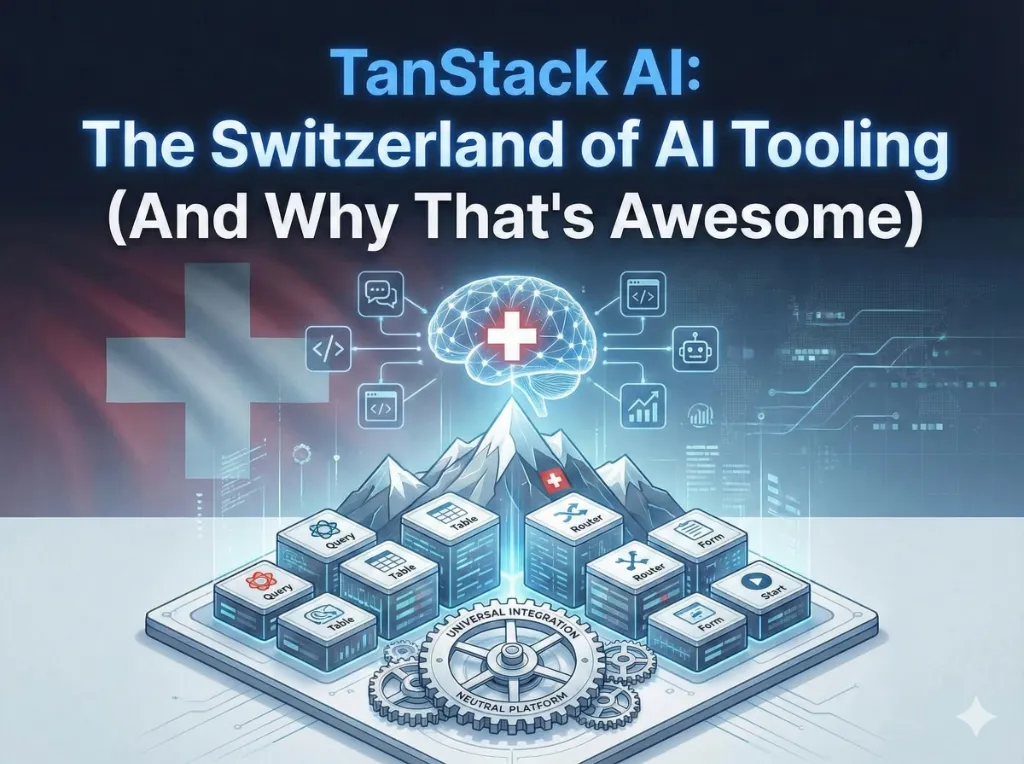
Let's be real. Building AI features in 2025 felt like choosing a life partner - except the partner keeps changing their API, raising prices, and occasionally ghosting you during high traffic. You pick OpenAI, great! Until Claude starts looking really attractive. Then Gemini winks at you. And suddenly you're stuck in a dysfunctional relationship because switching means rewriting half your codebase.
Enter TanStack AI - the "Switzerland of AI tooling." Neutral, type-safe, and refreshingly honest about what it is: just good open-source libraries, no strings attached. In this (admittedly long) guide, we're going to cover everything you need to know about TanStack AI. By the end, you'll either be a convert or at least understand why developers are losing their minds over it.
Grab some coffee. This is going to be comprehensive.
What We'll Cover
- What TanStack AI actually is (and isn't)
- Core features that make it special
- Getting started from zero to chat app
- The isomorphic tools system (the really cool part)
- DevTools for debugging AI (finally!)
- Honest comparison with Vercel AI SDK
- Real-world examples with runnable code
- The gotchas you should know about
🚀 Interactive Demo: Try It Live!
Play with TanStack AI right here. Edit the code and see results instantly:
Note: Embedded WebContainers require a Chromium-based browser (Chrome, Edge, Brave). Firefox/Safari users may need to open in a new tab.
Live Chat Demo with Streaming
This is a working TanStack AI chat. Notice how responses stream word-by-word:
💻 View the source code
Switch Between Providers
See how easy it is to switch between OpenAI, Claude, and Gemini - just one line of code:
💡 Can't see the demos? Open the full project in StackBlitz →
What is TanStack AI, Really?
TanStack AI is an open-source AI SDK created by the same folks who brought you TanStack Query, TanStack Router, and TanStack Table - libraries that collectively power millions of React apps. The alpha was announced on December 3, 2025, by Tanner Linsley, Jack Herrington, and Alem Tuzlak.
The 30-Second Explanation
Here's what TanStack AI is:
- Open-source - MIT licensed, no hidden fees, no upsells
- Type-safe - Full TypeScript with Zod schema inference
- Provider-agnostic - Works with OpenAI, Anthropic, Gemini, Mistral, Groq, and Ollama (local models)
- Framework-agnostic - React, Solid, Vanilla JS, with Vue/Svelte coming
- Server-agnostic - Node, PHP, Python support
- Tree-shakeable - Only import what you use, minimal bundle impact
And here's what it isn't:
- A hosted service (you connect directly to providers)
- A vendor platform (no lock-in, no middleman)
- Production-stable yet (it's alpha, friends)
The Philosophy: "Your AI, Your Way"
"TanStack AI is a pure open-source ecosystem of libraries and standards—not a service. We connect you directly to the AI providers you choose, with no middleman, no service fees, and no vendor lock-in."
— Official TanStack AI Website
The Team Behind It
This matters. TanStack AI isn't some random npm package with 3 stars. It's built by:
- Tanner Linsley - Creator of TanStack Query, Router, Table, and Form. His libraries have ~40M+ npm downloads per month.
- Jack Herrington - The "Blue Collar Coder" with a massive YouTube following.
- Alem Tuzlak - Core community contributor to the TanStack ecosystem.
Part of the TanStack Ecosystem
| Library | Purpose | Status |
|---|---|---|
| TanStack Query | Async state & caching | Mature (40M+/month) |
| TanStack Router | Type-safe routing | Stable |
| TanStack Table | Headless data grids | Mature |
| TanStack Form | Form state management | Stable |
| TanStack AI | AI SDK | Alpha (Dec 2025) |
Core Features Deep Dive
Type Safety That Actually Works
TanStack AI takes type safety seriously with full TypeScript and Zod schema inference:
import { chat, toolDefinition } from '@tanstack/ai';
import { openaiText } from '@tanstack/ai-openai';
import { z } from 'zod';

const getWeatherDef = toolDefinition({
  name: 'getWeather',
  description: 'Get current weather for a city',
  inputSchema: z.object({
    city: z.string().describe('The city name'),
  }),
  outputSchema: z.object({
    temperature: z.number(),
    condition: z.enum(['sunny', 'cloudy', 'rainy', 'snowy']),
  }),
});

// TypeScript knows the shape of your input AND output
const getWeather = getWeatherDef.server(async ({ city }) => {
  const data = await fetchWeatherAPI(city);
  return { temperature: data.temp, condition: data.condition };
});
Provider Agnostic: Switch with One Line
This is the "Switzerland" part. Switching providers is trivial:
// Using OpenAI
import { openaiText } from '@tanstack/ai-openai';
chat({ adapter: openaiText(), model: 'gpt-4o', messages });

// Switch to Claude - literally change two lines
import { anthropicText } from '@tanstack/ai-anthropic';
chat({ adapter: anthropicText(), model: 'claude-3-opus', messages });

// Try Gemini
import { geminiText } from '@tanstack/ai-gemini';
chat({ adapter: geminiText(), model: 'gemini-1.5-pro', messages });

// Run locally with Ollama (no API costs!)
import { ollamaText } from '@tanstack/ai-ollama';
chat({ adapter: ollamaText(), model: 'llama3.1', messages });
Switching providers is as easy as changing socks. Easier, actually.
Streaming: The ChatGPT Effect
That satisfying word-by-word streaming experience is baked in:
import { chat, toStreamResponse } from '@tanstack/ai';
import { openaiText } from '@tanstack/ai-openai';

export async function POST(request: Request) {
  const { messages } = await request.json();
  const stream = chat({ adapter: openaiText(), model: 'gpt-4o', messages });
  return toStreamResponse(stream);
}
The Package Ecosystem
| Package | Purpose | When to Use |
|---|---|---|
@tanstack/ai | Core AI logic, tool definitions, chat function | Always - it's the foundation |
@tanstack/ai-client | Framework-agnostic headless client | Vanilla JS or custom framework integration |
@tanstack/ai-react | React hooks (useChat, InferChatMessages) | React applications |
@tanstack/ai-solid | SolidJS hooks (useChat) | SolidJS applications |
@tanstack/ai-openai | OpenAI adapter (GPT-4, GPT-4o, o1) | Using OpenAI models |
@tanstack/ai-anthropic | Anthropic adapter (Claude 3, 3.5) | Using Claude models |
@tanstack/ai-gemini | Google adapter (Gemini 1.5, 2.0) | Using Gemini models |
@tanstack/ai-ollama | Ollama adapter (Llama, Mistral local) | Running models locally |
@tanstack/ai-mistral | Mistral AI adapter | Using Mistral models |
@tanstack/ai-groq | Groq adapter (ultra-fast inference) | When speed is critical |
@tanstack/ai-devtools-core | DevTools for debugging AI workflows | Development and debugging |
Tree-shakeable by design: Each adapter is a separate package. You only bundle what you import - using OpenAI? You don't carry Anthropic, Gemini, or Mistral code in your build.
Getting Started: Your First Chat App
Installation
# For React + OpenAI
npm install @tanstack/ai @tanstack/ai-react @tanstack/ai-openai
Server Setup (Next.js)
// app/api/chat/route.ts
import { chat, toStreamResponse } from '@tanstack/ai';
import { openaiText } from '@tanstack/ai-openai';

export async function POST(request: Request) {
  const { messages } = await request.json();
  const stream = chat({ adapter: openaiText(), model: 'gpt-4o', messages });
  return toStreamResponse(stream);
}
Client Component
import { useState } from 'react';
import { useChat, fetchServerSentEvents } from '@tanstack/ai-react';

export function Chat() {
  const [input, setInput] = useState('');
  const { messages, sendMessage, isLoading } = useChat({
    connection: fetchServerSentEvents('/api/chat'),
  });

  const handleSubmit = (e) => {
    e.preventDefault();
    if (input.trim() && !isLoading) {
      sendMessage(input);
      setInput('');
    }
  };

  return (
    <div>
      {messages.map((msg) => (
        <div key={msg.id}>
          {msg.role}: {msg.parts[0]?.content}
        </div>
      ))}
      <form onSubmit={handleSubmit}>
        <input value={input} onChange={(e) => setInput(e.target.value)} />
        <button>{isLoading ? 'Thinking...' : 'Send'}</button>
      </form>
    </div>
  );
}
Understanding the useChat Hook
The useChat hook is the heart of client-side AI in TanStack. Let's break down what it returns:
| Property | Type | Description |
|---|---|---|
messages | Message[] | All messages (user + assistant). Auto-updates during streaming. |
sendMessage | (content: string) => void | Sends message with optimistic update. Adds to messages immediately. |
isLoading | boolean | True while waiting for AI response. Perfect for loading states. |
pendingToolCalls | ToolCall[] | Tools awaiting user approval (if using approveToolCall). |
approveToolCall | (id: string) => void | Approves a pending tool call for execution. |
rejectToolCall | (id: string) => void | Rejects a pending tool call. |
The fetchServerSentEvents Helper
This utility handles the complex SSE (Server-Sent Events) protocol automatically:
import { useChat, fetchServerSentEvents } from '@tanstack/ai-react';

// Basic usage - just point at your API endpoint
const chat = useChat({
  connection: fetchServerSentEvents('/api/chat'),
});

// With custom headers (e.g., for authentication)
const chatWithAuth = useChat({
  connection: fetchServerSentEvents('/api/chat', {
    headers: { Authorization: 'Bearer your-token' },
  }),
});
What it handles for you: Connection management, automatic reconnection, proper SSE parsing, streaming response handling, and cleanup on unmount. You don't write any of this.
Provider-Specific Options with Type Safety
This is one of TanStack AI's killer features. Different AI providers offer unique capabilities. TanStack AI lets you access them with full type safety:
import { chat } from '@tanstack/ai';
import { openaiText } from '@tanstack/ai-openai';

// OpenAI-specific: reasoning options for o1 models
const stream = chat({
  adapter: openaiText(),
  model: 'o1-preview',
  messages,
  reasoning: {
    effort: 'medium',   // 'low' | 'medium' | 'high'
    summary: 'detailed', // Include reasoning summary
  },
});
Here's the magic: when you type reasoning:, your IDE autocompletes with only the options available for that provider and model. If you switch to a model that doesn't support reasoning, TypeScript immediately flags it as an error—at compile time, not runtime.
// This would give a TypeScript error!
const stream = chat({
  adapter: anthropicText(),
  model: 'claude-3-sonnet',
  messages,
  reasoning: { effort: 'medium' }, // ❌ Error: 'reasoning' does not exist
});
Thinking and Reasoning Tokens
For models that support "thinking" (like Claude 3.5 or GPT-o1), TanStack AI streams thinking tokens to the client:
// Thinking tokens are included in the message stream
messages.map((msg) => {
  if (msg.thinking) {
    console.log('AI is thinking:', msg.thinking);
  }
  console.log('AI response:', msg.content);
});
This lets you show users what the AI is "reasoning about" before giving its final answer—a transparency feature that builds trust.
Isomorphic Tools: The Magic System
This is where TanStack AI really shines. Define a tool once, implement it for server OR client:
Server Tools with Zod Descriptions
The .describe() method on Zod schemas is critical for AI understanding. It tells the model what each parameter means:
const searchProductsDef = toolDefinition({
  name: 'searchProducts',
  description: 'Search for products in the catalog by keyword or category',
  inputSchema: z.object({
    query: z.string().describe('The search query - keywords, product name, or category'),
    maxResults: z.number().optional().describe('Maximum number of results to return (default: 10)'),
    sortBy: z.enum(['price', 'rating', 'relevance']).optional().describe('Sort order for results'),
  }),
  outputSchema: z.array(z.object({
    id: z.string(),
    name: z.string(),
    price: z.number()
  })),
});

const searchProducts = searchProductsDef.server(async ({ query, maxResults = 10 }) => {
  return await db.products.search(query, { limit: maxResults });
});
Why this matters: Without .describe(), the AI only knows parameter names. With descriptions, it understands intent. "query" could mean anything—but "The search query - keywords, product name, or category" tells the AI exactly what to pass.
Hybrid Tools (Both Server and Client)
Some tools need to work in both environments. TanStack AI supports hybrid tools that can execute on either server or client depending on context:
const getUserPreferencesDef = toolDefinition({
  name: 'getUserPreferences',
  description: 'Get user preferences for personalization',
  inputSchema: z.object({}),
  outputSchema: z.object({
    theme: z.enum(['light', 'dark']),
    language: z.string(),
    timezone: z.string(),
  }),
});

// Server implementation - gets from database
const getUserPreferencesServer = getUserPreferencesDef.server(async () => {
  return await db.users.getPreferences(userId);
});

// Client implementation - gets from localStorage
const getUserPreferencesClient = getUserPreferencesDef.client(async () => {
  return {
    theme: localStorage.getItem('theme') || 'dark',
    language: navigator.language,
    timezone: Intl.DateTimeFormat().resolvedOptions().timeZone,
  };
});
The AI runtime decides which implementation to use based on where the tool is registered.
How Tool Orchestration Works
This is where things get interesting. When you ask a question like "Who is the current F1 champion?", TanStack AI orchestrates a complex multi-step process automatically:
- 1. Client sends message → Your question goes to the server
- 2. Server forwards to AI → Along with available tool definitions
- 3. AI analyzes request → Realizes its knowledge might be outdated
- 4. AI requests tool call → "I need to search the internet for this"
- 5. TanStack AI intercepts → Executes the search_internet tool
- 6. Results go back to AI → Fresh data as additional context
- 7. AI generates answer → With up-to-date information
- 8. Response streams to client → Word by word
All of this happens automatically. You define the tools and their implementations - TanStack AI handles the complex back-and-forth orchestration.
Agentic Cycle Management
Beyond simple tool calls, TanStack AI includes an agentic cycle management system for building autonomous AI agents that can plan and execute multi-step tasks:
import { chat, AgentLoop } from '@tanstack/ai';

// Create an agent with loop control
const agent = new AgentLoop({
  adapter: openaiText(),
  model: 'gpt-4o',
  tools: [searchProducts, analyzeReviews, compareProducts],
  maxIterations: 10, // Prevent runaway loops
});

// Agent can plan and execute multiple steps
const result = await agent.run({
  task: 'Find the best laptop under $1000 for programming',
  onStep: (step) => {
    console.log(`Step ${step.iteration}: ${step.action}`);
  },
});

// Result includes the full chain of reasoning and tool calls
When to Use Agentic Loops
- Research tasks - "Research competitors and summarize findings"
- Multi-step analysis - "Analyze this dataset and create a report"
- Complex workflows - "Book a flight, hotel, and car for my trip"
These features position TanStack AI as more than a simple wrapper - it's a comprehensive framework for building sophisticated AI systems.
The @tanstack/ai-client Package
This is the framework-agnostic headless client for managing chat state. If you're not using React or Solid, this is what you import:
import { createChat, fetchServerSentEvents } from '@tanstack/ai-client';

const chat = createChat({
  connection: fetchServerSentEvents('/api/chat'),
  serverTools: [searchProducts],
  clientTools: [getCurrentLocation],
});

// Subscribe to state changes
chat.subscribe((state) => {
  console.log('Messages:', state.messages);
  console.log('Is Loading:', state.isLoading);
  console.log('Pending Tools:', state.pendingToolCalls);
});

// Send a message
chat.sendMessage('Find laptops under $500');
What @tanstack/ai-client Provides
- Message management - Full type safety for message handling
- Streaming support - Built-in SSE handling
- Connection adapters - SSE, HTTP stream, or custom
- Automatic tool execution - Both server and client tools
- Tool approval flow handling - Human-in-the-loop support
This package is what @tanstack/ai-react and @tanstack/ai-solid are built on top of.
Tool Approval Flows (Human-in-the-Loop)
Some actions shouldn't happen automatically. Adding items to a cart, making purchases, deleting data - these need user approval. TanStack AI has this built in:
const addToCartDef = toolDefinition({
  name: 'addToCart',
  description: 'Add a product to the shopping cart',
  inputSchema: z.object({
    productId: z.string(),
    quantity: z.number().default(1),
  }),
  outputSchema: z.object({
    success: z.boolean(),
    cartTotal: z.number(),
  }),
  // This is the magic - require user approval before execution
  requiresApproval: true,
});

const addToCart = addToCartDef.server(async ({ productId, quantity }) => {
  // This only runs AFTER user approves
  await db.cart.add(productId, quantity);
  const cart = await db.cart.getTotal();
  return { success: true, cartTotal: cart.total };
});
On the client, you handle the approval UI:
function Chat() {
  const { messages, pendingTools, approveToolCall, denyToolCall } = useChat({
    connection: fetchServerSentEvents('/api/chat'),
  });

  return (
    <div>
      {/* Show approval UI for pending tools */}
      {pendingTools.map((tool) => (
        <div key={tool.id} className="approval-card">
          <p>The AI wants to: <strong>{tool.name}</strong></p>
          <pre>{JSON.stringify(tool.input, null, 2)}</pre>
          <button onClick={() => approveToolCall(tool.id)}>✅ Approve</button>
          <button onClick={() => denyToolCall(tool.id)}>❌ Deny</button>
        </div>
      ))}
    </div>
  );
}
This is crucial for building trustworthy AI applications. Users stay in control of sensitive operations.
Streaming Deep Dive: The ChatGPT Effect
You know that satisfying experience where ChatGPT types out responses word by word instead of making you wait 10 seconds for a wall of text? That's streaming, and TanStack AI makes it seamless.
How Streaming Works Under the Hood
TanStack AI uses Server-Sent Events (SSE) to stream responses. The chat() function returns an AsyncIterable that yields chunks as they arrive:
// Server: Stream responses as they generate
const stream = chat({
  adapter: openaiText(),
  model: 'gpt-4o',
  messages,
});

// Each chunk contains partial content
for await (const chunk of stream) {
  // chunk.type can be: 'text', 'thinking', 'tool-call', 'error'
  if (chunk.type === 'text') {
    console.log(chunk.content); // Streams word by word
  }
}

// Or just use the helper
return toStreamResponse(stream); // Handles SSE formatting
Client-Side Streaming with useChat
The useChat hook automatically handles streaming updates:
const { messages, isLoading, isStreaming } = useChat({
  connection: fetchServerSentEvents('/api/chat'),
});

// messages updates in real-time as tokens arrive
// isStreaming is true while the response is generating
// isLoading covers the full request lifecycle
Message Parts: Understanding the Response Structure
Unlike simpler SDKs that give you a single string response, TanStack AI uses a parts-based message structure. This is important because AI responses can contain multiple types of content:
interface Message {
  id: string;
  role: 'user' | 'assistant' | 'system';
  parts: MessagePart[];
}

type MessagePart =
  | { type: 'text'; content: string }
  | { type: 'thinking'; content: string }  // Reasoning models
  | { type: 'tool-call'; toolName: string; input: unknown }
  | { type: 'tool-result'; toolName: string; output: unknown }
  | { type: 'image'; url: string }
  | { type: 'error'; message: string };
Rendering Message Parts
function MessageDisplay({ message }) {
  return (
    <div>
      {message.parts.map((part, idx) => {
        switch (part.type) {
          case 'thinking':
            return <div key={idx} className="thinking">💭 {part.content}</div>;
          case 'text':
            return <p key={idx}>{part.content}</p>;
          case 'tool-call':
            return <div key={idx}>🔧 Calling {part.toolName}...</div>;
          case 'image':
            return <img key={idx} src={part.url} alt="AI generated" />;
          default:
            return null;
        }
      })}
    </div>
  );
}
This structure is especially useful with reasoning models (like o1 or Claude with thinking) where you can show the AI's thought process.
Beyond Text: Multimodal Support
With the Alpha 2 release (December 18, 2025), TanStack AI added every modality:
| Modality | Input | Output | Example Use Case |
|---|---|---|---|
| Text | ✅ | ✅ | Chat, summarization, Q&A |
| Images | ✅ | ✅ | Vision analysis, DALL-E generation |
| Audio | ✅ | ✅ | Transcription, text-to-speech |
| Video | ✅ | - | Video understanding (Gemini) |
| Documents | ✅ | - | PDF analysis, document Q&A |
Image Generation Example
import { generateImage } from '@tanstack/ai';
import { openaiImage } from '@tanstack/ai-openai';

const result = await generateImage({
  adapter: openaiImage(), // Uses DALL-E
  prompt: 'A Swiss mountain with code floating in the clouds',
  size: '1024x1024',
  quality: 'hd',
});

console.log(result.url); // URL to generated image
Vision Analysis Example
const result = await chat({
  adapter: openaiText(),
  model: 'gpt-4o', // Vision-capable model
  messages: [
    {
      role: 'user',
      parts: [
        { type: 'text', content: 'What is in this image?' },
        { type: 'image', url: 'https://example.com/photo.jpg' },
      ],
    },
  ],
});
Alpha 2: Better APIs, Smaller Bundles
On December 18, 2025, TanStack AI released Alpha 2 with significant improvements:
What Changed
- Multimodal support - Images, audio, video, documents added
- Improved tree-shaking - Import only what you use, bundles stay small
- Better streaming APIs - Cleaner chunk handling, better error propagation
- Message parts structure - Richer response handling
- Provider adapter refinements - More consistent behavior across providers
Bundle Size Improvements
// Only import what you need - tree-shakeable
import { openaiText } from '@tanstack/ai-openai/adapters/text';
import { openaiImage } from '@tanstack/ai-openai/adapters/image';

// NOT required to import the entire OpenAI adapter
// Your bundle only includes what you actually use
Multi-Language Server Support
Unlike JavaScript-only SDKs, TanStack AI supports multiple server languages:
PHP Server Example
<?php
use TanStack\AI\Chat;
use TanStack\AI\Adapters\OpenAI;

$chat = new Chat([
    'adapter' => new OpenAI(['model' => 'gpt-4o']),
]);

$response = $chat->send([
    ['role' => 'user', 'content' => 'Hello from PHP!']
]);

echo $response->content;
Python Server Example
from tanstack_ai import chat
from tanstack_ai.adapters import openai_text

result = await chat(
    adapter=openai_text(),
    model="gpt-4o",
    messages=[
        {"role": "user", "content": "Hello from Python!"}
    ]
)

print(result.content)
This is huge for teams with mixed stacks. Your PHP backend can serve AI features to your React frontend using the same patterns and type definitions.
Real-World Project: Building a Product Assistant
Let's build something real - a complete product assistant chatbot with:
- Product search (server tool)
- Add to cart with approval (human-in-the-loop)
- User location for shipping estimates (client tool)
- Streaming responses
Step 1: Define Your Tools
// tools/productTools.ts
import { toolDefinition } from '@tanstack/ai';
import { z } from 'zod';

export const searchProductsDef = toolDefinition({
  name: 'searchProducts',
  description: 'Search for products in the catalog',
  inputSchema: z.object({
    query: z.string().describe('Search query'),
    maxPrice: z.number().optional().describe('Maximum price filter'),
    category: z.string().optional().describe('Product category'),
  }),
  outputSchema: z.array(z.object({
    id: z.string(),
    name: z.string(),
    price: z.number(),
    description: z.string(),
    inStock: z.boolean(),
  })),
});

export const addToCartDef = toolDefinition({
  name: 'addToCart',
  description: 'Add a product to the shopping cart',
  inputSchema: z.object({
    productId: z.string(),
    quantity: z.number().default(1),
  }),
  outputSchema: z.object({
    success: z.boolean(),
    cartTotal: z.number(),
    itemCount: z.number(),
  }),
  requiresApproval: true, // User must approve
});

export const getLocationDef = toolDefinition({
  name: 'getLocation',
  description: 'Get user location for shipping estimates',
  inputSchema: z.object({}),
  outputSchema: z.object({
    city: z.string(),
    country: z.string(),
  }),
});
Step 2: Implement Server Tools
// tools/productTools.server.ts
import { searchProductsDef, addToCartDef } from './productTools';

export const searchProducts = searchProductsDef.server(async ({ query, maxPrice, category }) => {
  // In production, this would query your database
  const products = await db.products.search({ query, maxPrice, category });
  return products.map(p => ({
    id: p.id,
    name: p.name,
    price: p.price,
    description: p.description,
    inStock: p.inventory > 0,
  }));
});

export const addToCart = addToCartDef.server(async ({ productId, quantity }) => {
  const result = await db.cart.add(productId, quantity);
  const cart = await db.cart.summary();
  return {
    success: true,
    cartTotal: cart.total,
    itemCount: cart.items.length,
  };
});
Step 3: Implement Client Tool
// tools/productTools.client.ts
import { getLocationDef } from './productTools';

export const getLocation = getLocationDef.client(async () => {
  // Use browser's geolocation API
  const position = await new Promise<GeolocationPosition>((resolve, reject) => {
    navigator.geolocation.getCurrentPosition(resolve, reject);
  });

  // Reverse geocode to get city/country
  const response = await fetch(
    `https://api.bigdatacloud.net/data/reverse-geocode-client?latitude=${position.coords.latitude}&longitude=${position.coords.longitude}`
  );
  const data = await response.json();

  return {
    city: data.city || 'Unknown',
    country: data.countryName || 'Unknown',
  };
});
Step 4: API Route
// app/api/chat/route.ts
import { chat, toStreamResponse } from '@tanstack/ai';
import { openaiText } from '@tanstack/ai-openai';
import { searchProducts, addToCart } from '@/tools/productTools.server';

export async function POST(request: Request) {
  const { messages } = await request.json();

  const stream = chat({
    adapter: openaiText(),
    model: 'gpt-4o',
    messages,
    system: `You are a helpful product assistant for our electronics store.
You can search for products, help users add items to cart, and estimate shipping.
Be friendly and concise.`,
    tools: [searchProducts, addToCart],
  });

  return toStreamResponse(stream);
}
Step 5: Complete Chat Component
// components/ProductAssistant.tsx
'use client';
import { useState } from 'react';
import { useChat, fetchServerSentEvents } from '@tanstack/ai-react';
import { getLocation } from '@/tools/productTools.client';

export function ProductAssistant() {
  const [input, setInput] = useState('');

  const {
    messages,
    sendMessage,
    isLoading,
    pendingTools,
    approveToolCall,
    denyToolCall,
  } = useChat({
    connection: fetchServerSentEvents('/api/chat'),
    clientTools: [getLocation], // Register client-side tools
  });

  return (
    <div className="max-w-2xl mx-auto p-4">
      <h1>🛒 Product Assistant</h1>

      {/* Messages */}
      <div className="messages">
        {messages.map((msg) => (
          <div key={msg.id} className={msg.role}>
            {msg.parts.map((part, i) => {
              if (part.type === 'text') return <p key={i}>{part.content}</p>;
              if (part.type === 'tool-call') return (
                <div key={i} className="tool-badge">
                  🔧 Using {part.toolName}
                </div>
              );
              return null;
            })}
          </div>
        ))}
      </div>

      {/* Approval Requests */}
      {pendingTools.map((tool) => (
        <div key={tool.id} className="approval-card">
          <h4>Approve action: {tool.name}</h4>
          <pre>{JSON.stringify(tool.input, null, 2)}</pre>
          <button onClick={() => approveToolCall(tool.id)}>✅ Yes, add to cart</button>
          <button onClick={() => denyToolCall(tool.id)}>❌ No thanks</button>
        </div>
      ))}

      {/* Input */}
      <form onSubmit={(e) => {
        e.preventDefault();
        if (input.trim()) {
          sendMessage(input);
          setInput('');
        }
      }}>
        <input
          value={input}
          onChange={(e) => setInput(e.target.value)}
          placeholder="Ask about products..."
          disabled={isLoading}
        />
        <button type="submit" disabled={isLoading}>
          {isLoading ? 'Thinking...' : 'Send'}
        </button>
      </form>
    </div>
  );
}
This complete example demonstrates all the key TanStack AI features working together: streaming, isomorphic tools, type safety, and human-in-the-loop approval.
Error Handling Patterns
AI calls can fail. Networks go down, rate limits hit, tokens run out. Here's how to handle errors gracefully:
import { chat, TanStackAIError } from '@tanstack/ai';

try {
  const stream = chat({ adapter, model, messages });

  for await (const chunk of stream) {
    if (chunk.type === 'error') {
      // Handle streaming errors
      console.error('Stream error:', chunk.message);
      // Show user-friendly message
    }
  }
} catch (error) {
  if (error instanceof TanStackAIError) {
    switch (error.code) {
      case 'RATE_LIMIT':
        // Back off and retry
        break;
      case 'INVALID_API_KEY':
        // Check your .env
        break;
      case 'CONTEXT_LENGTH_EXCEEDED':
        // Truncate messages
        break;
      default:
        // Log and show generic error
    }
  }
}
TanStack AI vs Vercel AI SDK
| Aspect | TanStack AI | Vercel AI SDK |
|---|---|---|
| Philosophy | Pure open-source, "Switzerland" | Open-source, ecosystem-linked |
| Vendor Lock-in | None. Zero. Nada. | Subtle platform integration |
| Isomorphic Tools | ✅ Server & Client | Limited |
| Multi-language | TS, PHP, Python | Primarily JavaScript |
| Maturity | Alpha (Dec 2025) | Established, v6+ |
When to Choose TanStack AI
- You value true vendor neutrality
- Type safety is non-negotiable
- You already use the TanStack ecosystem
- You want isomorphic tools (client + server)
When to Choose Vercel AI SDK
- You need wider provider support right now
- You're deep in the Vercel ecosystem
- You need production-proven stability today
DevTools: X-Ray Vision for Your AI
Remember debugging AI apps by adding console.log everywhere and praying? Those dark days are over. TanStack AI integrates with the same TanStack DevTools you might already use for Query or Router.
What You Can See
The DevTools panel gives you real-time visibility into:
- Message streams - Watch tokens arrive in real-time
- Tool invocations - See inputs, outputs, and execution time for every tool call
- Thinking tokens - For reasoning models (o1, Claude thinking), see the AI's thought process
- Provider info - Which model, token counts, response duration
- State visualization - Full chat state tree, just like React DevTools
- Error tracking - Catch and inspect failures before users see them
Setup
npm install @tanstack/devtools// Add to your app root
import { TanStackAIDevtools } from '@tanstack/devtools';
function App() {
return (
<>
{/* Your app */}
<Chat />
{/* DevTools - only shows in development */}
<TanStackAIDevtools />
</>
);
}State Visualization
The DevTools show a complete tree of your AI state:
// What you see in DevTools
{
  conversationId: "conv_123",
  messages: [
    { id: "msg_1", role: "user", parts: [...] },
    { id: "msg_2", role: "assistant", parts: [...], isStreaming: true }
  ],
  pendingToolCalls: [
    { id: "tool_1", name: "addToCart", status: "awaiting_approval" }
  ],
  provider: "openai",
  model: "gpt-4o",
  tokenUsage: { prompt: 1234, completion: 567 }
}
You can time-travel through state changes, inspect individual messages, and replay tool calls. It's like having a debugger that actually understands AI workflows.
Headless Chatbot Components
Here's something the "just build it yourself" crowd will appreciate. TanStack AI is headless - it gives you all the logic and state management, but zero opinions on how things look.
Why Headless Matters
- No fighting CSS - You use your own design system
- Full control - Every element is customizable
- Component agnostic - Works with React, Solid, or vanilla JS
- Bundle savings - No shipped styles or markup you don't need
Example: Build Your Own Chat UI
// You control every pixel
function MyCustomChat() {
  const { messages, sendMessage, isLoading, isStreaming } = useChat({
    connection: fetchServerSentEvents('/api/chat'),
  });

  return (
    <div className="my-fancy-chat-container">
      {/* Your message rendering */}
      {messages.map((msg) => (
        <MyMessageBubble key={msg.id} message={msg} />
      ))}

      {/* Your streaming indicator */}
      {isStreaming && <MyTypingAnimation />}

      {/* Your input design */}
      <MyInputWithMentions onSend={sendMessage} />
    </div>
  );
}
This philosophy extends from the query layer (TanStack Query) down to AI. You get the complex parts done for you, but the UX is 100% yours.
TanStack Start Integration
If you're using TanStack Start (the full-stack meta-framework from TanStack), integration is even smoother:
// TanStack Start: Zero config API routes
// routes/api/chat.ts
import { createAPIFileRoute } from '@tanstack/start';
import { chat, toStreamResponse } from '@tanstack/ai';
import { openaiText } from '@tanstack/ai-openai';

export const Route = createAPIFileRoute('/api/chat')({
  POST: async ({ request }) => {
    const { messages } = await request.json();
    const stream = chat({
      adapter: openaiText(),
      model: 'gpt-4o',
      messages,
    });
    return toStreamResponse(stream);
  },
});
Why TanStack Start + TanStack AI?
- Type-safe from database to UI - End-to-end TypeScript
- File-based routing - Just drop files in routes/
- SSR-first - Streaming works seamlessly with server components
- Single ecosystem - Query, Router, Form, and now AI all work together
You're not locked into TanStack Start - but if you're already there, AI integration is first-class.
Architecture: How It All Fits Together
Here's the mental model for TanStack AI:
┌─────────────────────────────────────────────────────────────┐
│                        YOUR APP                              │
├─────────────────────────────────────────────────────────────┤
│   ┌──────────────────┐    ┌──────────────────┐              │
│   │   React Client   │────│   useChat Hook   │              │
│   │   (Your UI)      │    │   (@tanstack/    │              │
│   │                  │    │    ai-react)     │              │
│   └──────────────────┘    └────────┬─────────┘              │
│                                     │ SSE                    │
│   ┌─────────────────────────────────▼─────────────────────┐ │
│   │              Server (Node / PHP / Python)              │ │
│   │   ┌──────────────────────────────────────────────┐    │ │
│   │   │  chat() function     +     Your Tools        │    │ │
│   │   │  (@tanstack/ai)            (server/client)   │    │ │
│   │   └──────────────────────────────────────────────┘    │ │
│   └─────────────────────────────────┬─────────────────────┘ │
│                                     │                        │
├─────────────────────────────────────▼────────────────────────┤
│   ┌──────────────┐ ┌──────────────┐ ┌──────────────┐        │
│   │   OpenAI     │ │   Claude     │ │   Gemini     │        │
│   │   Adapter    │ │   Adapter    │ │   Adapter    │        │
│   └──────────────┘ └──────────────┘ └──────────────┘        │
├──────────────────────────────────────────────────────────────┤
│   ┌──────────────┐ ┌──────────────┐ ┌──────────────┐        │
│   │    OpenAI    │ │   Anthropic  │ │   Google     │        │
│   │     API      │ │     API      │ │    API       │        │
│   └──────────────┘ └──────────────┘ └──────────────┘        │
└──────────────────────────────────────────────────────────────┘
The key insight: swap any adapter, and everything above it keeps working. That's the "Switzerland" magic.
The Gotchas & What You Should Know
It's Alpha, Remember
- Breaking changes are expected
- Not for production-critical apps yet
- Documentation is evolving
What's Coming
- More framework adapters (Vue, Svelte)
- More provider adapters
- Stable release (timeline TBD)
Getting Involved
- GitHub: github.com/TanStack/ai
- Discord: TanStack Discord has a dedicated channel
- Twitter: Follow @tan_stack
Runtime Model Switching
One of the most underappreciated features: switch AI models at runtime. No code changes, no redeployment:
// Let users choose their preferred model
const [selectedModel, setSelectedModel] = useState('gpt-4o');
const [selectedProvider, setSelectedProvider] = useState('openai');

const getAdapter = (provider: string) => {
  switch (provider) {
    case 'openai': return openaiText();
    case 'anthropic': return anthropicText();
    case 'gemini': return geminiText();
    case 'mistral': return mistralText();
    default: return openaiText();
  }
};

// On the server, select adapter dynamically
const stream = chat({
  adapter: getAdapter(provider),
  model: selectedModel,
  messages,
});
Use cases: A/B testing models, cost optimization (switch to cheaper models for simple queries), fallback chains, or letting users pick their preferred provider.
Why the Industry Needs This
Let's zoom out for a moment. Why does TanStack AI matter beyond just being "another AI SDK"?
The Vendor Lock-in Problem
Today's AI landscape looks like this:
- Vercel AI SDK → Optimized for (surprise!) Vercel hosting
- LangChain → Python-first, JS as an afterthought
- OpenAI SDK → Works with... OpenAI only
- Each cloud provider → Their own proprietary wrappers
This fragmentation forces teams to make early platform bets that are expensive to change later.
The TanStack Philosophy
"TanStack AI is the Switzerland of AI tooling—neutral, honest, open-source. We don't care if you use OpenAI, Anthropic, or a local model. We just give you the best tools to build with."
This matters because:
- No middleman - You connect directly to providers. TanStack doesn't sit between you and your API keys.
- No service fees - It's MIT licensed. Forever free.
- No forced migration - Works with your existing stack. Use Next.js, Remix, TanStack Start, Express—whatever.
- Community-driven - Open RFC process, transparent roadmap.
The Numbers (January 2026)
*TanStack ecosystem total; TanStack AI is in alpha but growing rapidly
Conclusion: Should You Use TanStack AI?
Yes, if: You value freedom, type safety, and the TanStack philosophy. You're comfortable being an early adopter.
Wait, if: You need production stability right now or a provider TanStack AI doesn't support yet.
The future of AI SDKs is open. TanStack AI represents a healthier ecosystem where developers aren't locked into a single platform. "Your AI, Your Way" isn't just a tagline - it's a philosophy.
Happy coding! 🚀
FAQs
What is TanStack AI?
TanStack AI is an open-source, type-safe AI SDK for building AI-powered applications. It works with OpenAI, Anthropic, Gemini, and Ollama, and is framework-agnostic supporting React, Solid, Node, PHP, and Python.
Is TanStack AI free to use?
Yes, TanStack AI is completely free and open-source under the MIT license. There are no service fees or hidden costs.
How does TanStack AI compare to Vercel AI SDK?
TanStack AI is a pure open-source alternative focused on vendor neutrality and type safety. It offers unique features like isomorphic tools and multi-language support.
Can I switch AI providers easily?
Yes, switching providers is a one-line change using the adapter pattern.
What frameworks does TanStack AI support?
React, Solid, Vanilla JS on client. Node.js, PHP, Python on server.
Is TanStack AI production-ready?
Currently in alpha (December 2025). Suitable for experimentation, caution advised for production.
What are isomorphic tools?
Tools you define once and implement for either server-side or client-side execution.
How do I debug AI interactions?
TanStack DevTools provides a dedicated panel for inspecting messages, tool calls, and reasoning tokens.
What AI models work with TanStack AI?
OpenAI GPT-4, Anthropic Claude, Google Gemini, and Ollama for local models.
Who created TanStack AI?
Tanner Linsley, Jack Herrington, and Alem Tuzlak, announced December 3, 2025.
Work with us
Let's build something together
We build fast, modern websites and applications using Next.js, React, WordPress, Rust, and more. If you have a project in mind or just want to talk through an idea, we'd love to hear from you.
Related Articles
TypeScript • 15 min
Vercel AI SDK vs TanStack AI: 2026 Guide
Compare Vercel AI SDK and TanStack AI across agents, streaming, tools, approvals, MCP, persistence, sandboxes, frameworks, and production trade-offs now.
9/18/2026
Agentic AI • 26 min read
Voice AI and Agentic AI Are Replacing Customer Support. The Benefits Are Hard to Ignore: Faster Responses, Lower Costs, and Data-Driven Decisions
How voice AI and agentic AI actually work in customer support — the STT/LLM/TTS pipeline, latency optimization, platform comparison, real costs, and a 7-step developer implementation playbook.
3/29/2026
Agentic AI • 23 min
Cloudflare Web Search API: Build a Web-Connected AI Agent
Build a TypeScript AI agent with Cloudflare Web Search API, provider routing, citations, cost controls, safe retrieval, and production observability today.
10/3/2026