Bun 1.4.1
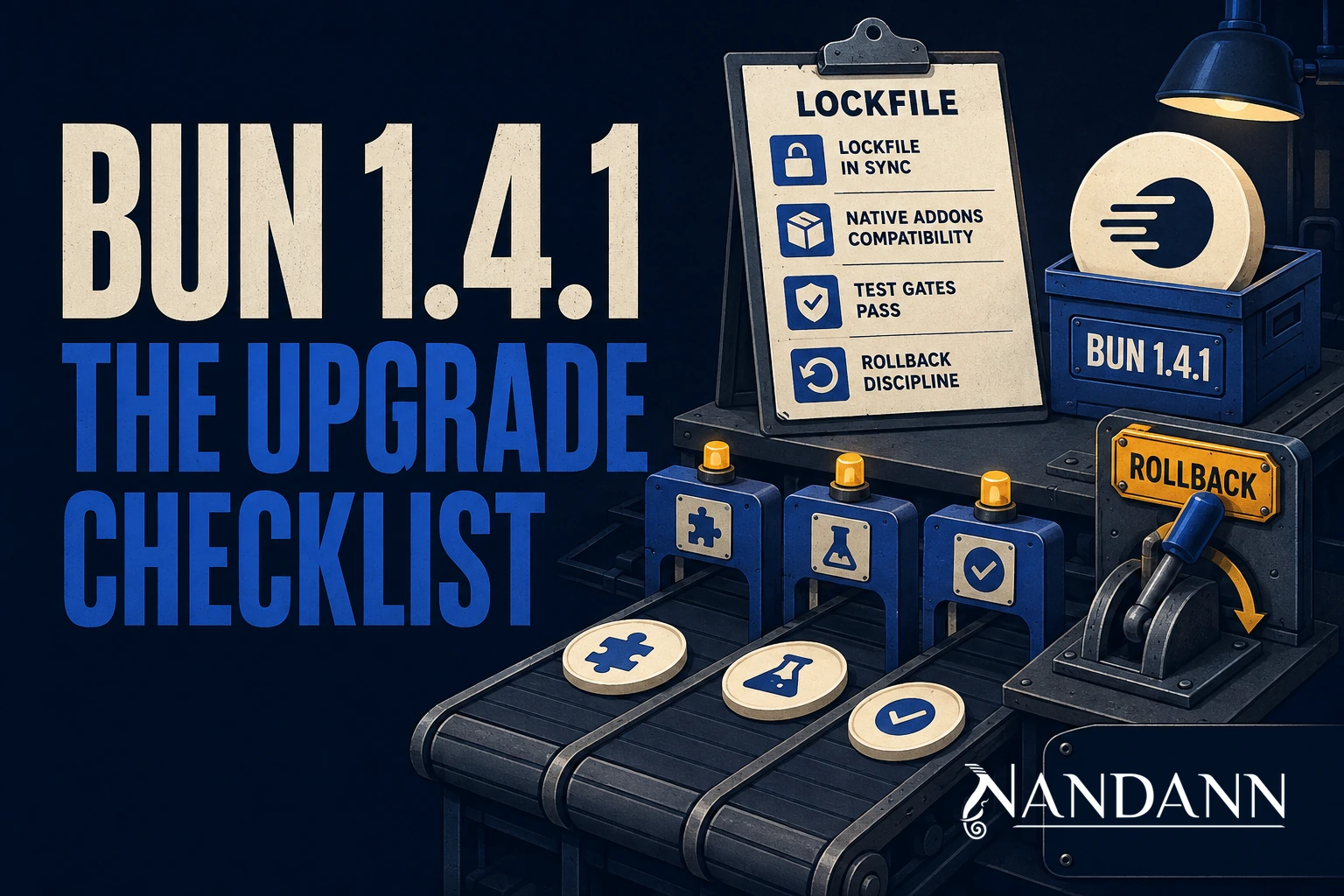
Bun releases often tempt teams into a one-line migration plan: update the setup action, run bun upgrade, enjoy the faster command. Bun 1.4.1 makes that instinct especially understandable. The release is substantial: 202 fixed issues, HTTP/2 in Bun.serve, streamed Response writes to disk, offline install modes, self-contained workspace node_modules, WebSocket flow control, Argon2 support, faster buffer operations, build-system improvements, and a long list of compatibility fixes.
Those are useful reasons to upgrade. They are not a reason to skip the evidence. The runtime, package manager, test runner, bundler, compiler, and Node compatibility layer all participate in the same toolchain. A change that is invisible in a toy app can alter lockfile behavior, native addon loading, source-map output, production artifact size, cache effectiveness, signal handling, or a framework's assumptions about module resolution.
This is the upgrade posture worth keeping: treat Bun 1.4.1 as a focused engineering change, not a tooling chore. Establish the current behavior, pin the candidate, test the boundaries that matter to your application, measure the claims you care about, and keep the prior version ready to restore. The release then becomes a chance to improve delivery discipline, not a bet on release-note confidence.
The Release in One Operational Sentence
A broad release with many surfaces
According to Bun's official announcement, 1.4.1 fixes 202 issues and addresses 236 reported reactions. The headline additions cross several layers:
- runtime: HTTP/2 in
Bun.serve, streamed writes, WebSocketpause()andresume(),crypto.argon2, and Node compatibility work; - package management: self-contained workspace
node_modules,bun install --offline, and--prefer-offline; - building: dynamic-import tree shaking, chunking controls, better CommonJS-to-ESM conversion, and compile improvements;
- operations: faster startup and compiled executables, plus fixes across Windows, test execution, shell, SQLite, and the CLI.
That breadth is precisely why one green unit-test run is not a complete migration signal. A typical application uses only a fraction of the runtime API but almost all of the delivery chain: install, resolution, test, build, containerization, startup, and traffic.
Start with the release's facts, not its adjectives
The announcement claims up to 9x faster Buffer reads and writes and 2x faster AsyncLocalStorage in relevant cases. Treat these as potential gains to measure in your workload, not universal expectations. A service dominated by database waits will not become nine times faster because its buffer copies improve. A CLI with many small imports may care much more about startup behavior than a long-lived server does.
The upgrade question is not, "Is 1.4.1 faster?" It is, "Does 1.4.1 preserve the behavior we rely on, and does it improve a bottleneck we can actually observe?"
Inventory the Places Bun Is Already Involved
Runtime, package manager, or both?
Many repositories say they use Bun when they only use it to install dependencies or run local scripts. Others run production handlers with Bun while using another package manager. A few rely on its test runner and bundler too. These have different risk profiles.
Make the inventory explicit before the version changes:
| Surface | Questions to answer |
|---|---|
| Local development | Is Bun installed through a version manager, an action, a container, or a bootstrap script? |
| CI | Is the version pinned? Are cache keys tied to the lockfile and runtime version? |
| Package install | Do you use workspaces, private registries, patches, lifecycle scripts, or native packages? |
| Test | Does bun test run all tests, only unit tests, or a framework adapter? |
| Build | Is bun build producing browser chunks, a server bundle, or a compiled executable? |
| Production | Is Bun the runtime, only a build-time dependency, or present in a release image? |
Do not rely on tribal memory for this list. Search the repository for bun, setup-bun, Bun., bun.lock, Docker images, package scripts, and CI actions. The first useful migration artifact is a map of what could change.
Capture a before-state
Record the existing Bun version, Node version if one is also present, operating-system images, lockfile checksum, package-manager cache configuration, build size, and a small set of request or CLI benchmarks. Capture a clean test run and at least one representative integration path.
This is not paperwork for its own sake. It gives a failure an anchor. If an upgrade changes module resolution only in a Linux production image, you want to compare it to a known baseline rather than guess whether the issue was already present.
bun --version
sha256sum bun.lock 2>/dev/null || shasum -a 256 bun.lock
bun install --frozen-lockfile
bun test
bun run typecheck
bun run build
Use the scripts your project actually defines. The point is a repeatable gate, not these exact names.
Pin the Candidate Before You Evaluate It
Avoid floating runtime versions
"Latest" is a moving target. It makes a failing CI run impossible to reason about and makes rollback unnecessarily slow. Pin Bun 1.4.1 in the installation method used by developers and CI. If containers provide the runtime, pin the image tag or immutable digest. If oven-sh/setup-bun provisions it, configure that action with the same tested version.
- uses: oven-sh/setup-bun@v2
  with:
    bun-version: "1.4.1"

- run: bun install --frozen-lockfile
- run: bun test
- run: bun run build
The action version and the Bun version are separate decisions. Pin both deliberately under your dependency update policy.
Keep the old version available
Before changing an environment, make sure the previous runtime is still downloadable from your approved source or present in the build cache. A rollback that depends on a network fetch during an incident is not a rollback plan.
For a release image, keep the previous image reference. For CI, retain the prior runtime pin in the change record. For a developer bootstrap script, make the old version a documented parameter rather than forcing everyone to rediscover it from git history.
Package Installation Is a Production Surface
Test the lockfile as an input and an output
The safest first installation is one that refuses to improvise dependency resolution. Run it from a clean workspace using the lockfile enforcement your repository expects. Review whether it changes bun.lock, package metadata, or installed layout. A runtime upgrade should not quietly become a mass dependency update.
git clean -fdx  # use only in a disposable clone or CI workspace
bun install --frozen-lockfile
git diff --exit-code -- bun.lock package.json
In a working directory, do not run destructive cleanup casually. CI or a disposable clone is the right place for an install reproducibility test.
Offline behavior needs a real cache drill
bun install --offline is designed to avoid the network and use available cached data only. --prefer-offline prefers the cache but can reach the registry when something is missing. These are valuable capabilities for flaky connectivity, hermetic builds, and controlled environments, but only if the cache contains the dependencies you expect.
Run two tests in an isolated CI job. First, populate the cache with a normal install. Then block registry access and run the offline install. Record which cache directories and credentials are required. Finally, run --prefer-offline with a deliberately missing package to confirm its fallback follows your network policy.
Do not confuse an offline flag with supply-chain security. You still need lockfile review, registry controls, artifact provenance, and a policy for lifecycle scripts.
Monorepos Deserve Their Own Gate
Self-contained workspace node_modules change assumptions
Bun 1.4.1 adds self-contained node_modules for workspace packages. That may be exactly what a monorepo needs. It can also reveal assumptions in tools that relied on a particular hoisted structure.
Run each workspace from its own directory. Test package exports, CLI resolution, TypeScript project references, code generation, test discovery, and deployment packaging. Build the exact package that will ship rather than only the repository root.
bun install --frozen-lockfile
bun --cwd packages/api test
bun --cwd packages/web run build
bun --cwd packages/worker run integration:test
Replace these paths with your repository's structure. The purpose is to prove local package boundaries, not merely root-level success.
Private registries and native packages are stress points
If an install depends on scoped registry authentication, check it in the same environment model as CI. If it installs native addons, build or fetch them on every platform you ship. The Bun 1.4 series includes compatibility changes around Node and native modules, so this is not a place for a macOS-only developer check.
Use a platform matrix where production has multiple architectures. At minimum, test the production operating system and architecture, then a developer platform if the project supports one. Keep the failure log and the precise package version; native compatibility failures are usually package-specific and need exact evidence when escalated upstream.
HTTP/2 in Bun.serve: Capability, Not Default Policy
Validate the whole request path
Bun 1.4.1 adds HTTP/2 support in Bun.serve. Whether to use it depends on where TLS terminates and what sits in front of the process. A CDN or reverse proxy may already negotiate HTTP/2 with clients while using HTTP/1.1 upstream. Turning on a server capability without understanding that topology may add complexity with no user-facing benefit.
Test protocol negotiation, headers, streaming behavior, timeouts, connection limits, error responses, tracing, and load balancer health checks. Confirm that metrics distinguish connection-level from request-level behavior. Test one slow client and a burst of multiplexed requests. Protocol changes often surface backpressure bugs rather than raw throughput issues.
A simple server is not the full test
const server = Bun.serve({
  port: 3000,
  fetch(request) {
    return new Response(`ok: ${request.url}`)
  },
})

console.log(`listening on ${server.url}`)
This establishes basic handler behavior. It does not validate proxy configuration, certificate management, streaming uploads, observability, or client compatibility. Keep the integration test close to the deployed topology.
Streaming Writes and WebSocket Flow Control
Preserve backpressure when writing responses
The release lets Bun.write(path, response) stream a Response body to disk. That can reduce memory pressure for large responses, exports, or asset transforms. The engineering question is still ownership and backpressure: who handles a partial file, what happens on cancellation, where does temporary output live, and how is disk capacity observed?
Test success, interrupted download, full disk, permission error, and restart recovery. If the output is customer-visible, write to a temporary path and atomically move it into place only after completion. Do not replace a known-good artifact with a partially written response.
Pause and resume are flow-control tools
WebSocket pause() and resume() can help applications control inbound work. They should be driven by a bounded queue or a clear pressure signal, not by an unbounded attempt to protect every callback. Test slow consumers, disconnects while paused, reconnect churn, and shutdown. The best flow-control change is one whose queue depth and recovery state are visible in metrics.
Security and Compatibility Gates
Argon2 deserves parameter review
The new Node-compatible crypto.argon2 and crypto.argon2Sync APIs are welcome when an application needs modern password hashing. Do not treat their presence as a mandate to change credential formats in the same runtime upgrade. Password migrations need a separate design: parameter selection, stored hash format, compatibility with existing users, timing behavior, and a gradual rehash policy after successful login.
If you do adopt it, use the asynchronous API on request paths unless you have measured the synchronous cost. Bound concurrent work. Monitor latency and memory. Verify hashes against documented test vectors and your security review requirements.
Compatibility means testing the dependencies you own
The release includes Node.js compatibility improvements and smarter CommonJS-to-ESM default import conversion. That is valuable, but it is exactly the type of change that can reveal an application that relies on accidental module semantics. Exercise the framework startup, test environment, code generators, dynamic imports, and the packages that use both require and import.
Avoid a broad source rewrite during the upgrade. If one import changes behavior, isolate it, add a test, and decide whether the correct fix is a package update, a narrower import form, or a compatibility configuration. Keep the runtime change reviewable.
Build Output Must Be Compared, Not Assumed
Dynamic imports and splitting can move work
1.4.1 introduces tree shaking through dynamic import(), smaller or fewer chunks with splitting controls, --min-chunk-size, module preloading for code-split browser builds, and revised chunk-boundary behavior in relevant targets. Those changes can improve payloads. They can also move code between chunks in ways that affect preload behavior, caching, error reporting, and application startup.
Build a production-shaped bundle under both versions. Compare artifact manifests, total bytes, chunk count, source maps, and the request waterfall in a browser or synthetic environment. Test a cold navigation, a route loaded through dynamic import, and an error path that exercises a lazy chunk.
bun build ./src/client.ts \
  --outdir=dist \
  --splitting \
  --target=browser \
  --sourcemap=linked
Do not optimize from the output directory alone. A smaller bundle that creates an extra round trip on the critical route can still be a slower user experience.
Compiled executables require platform evidence
The release calls out smaller and faster-starting compiled executables, including --compile --bytecode support for cross-compilation. Benchmark cold startup and confirm the artifact runs on the exact target environment. Test configuration files, assets, dynamic imports, native dependencies, signals, exit codes, and write permissions. A fast binary is only useful if it remains diagnosable and deployable.
Build a Promotion Pipeline Instead of a Big-Bang Switch
Stage 1: hermetic CI
Pin 1.4.1, install from a clean workspace, run static checks, unit tests, integration tests, and build. Repeat on every production platform. Make lockfile changes fail the job unless the change explicitly includes them.
Stage 2: a narrow runtime canary
Deploy the same built artifact to a small traffic slice or non-critical worker class. Compare startup time, errors, latency, memory, CPU, dependency calls, and log volume to the baseline. If your process serves WebSockets or streaming downloads, include those traffic types in the canary.
Stage 3: progressive promotion
Promote only after the canary has covered a meaningful traffic period and scheduled jobs. Keep the rollback pin ready. During the first full deployment, avoid unrelated framework, dependency, or lockfile changes. One variable makes diagnosis faster.
A Rollback Plan You Can Actually Execute
Decide the trigger before deployment
Write down which signals cause a rollback: a startup failure rate, sustained 5xx change, incompatible native package, lockfile install failure, bundle load error, or a significant regression against agreed service objectives. Give the on-call engineer a versioned command or deployment reference, not a prose promise that rollback is easy.
Preserve the evidence
When rolling back, retain the Bun version, operating-system image, package manager logs, lockfile, build manifest, failing stack trace, and minimal reproduction. Do not regenerate the lockfile in the middle of response. The best upstream bug reports state the previous working version, the new failing version, the platform, expected behavior, and a small repo or command sequence.
Observe the Upgrade While It Is Boring
The first hour after a runtime rollout is usually quiet, which is exactly when teams are tempted to call it complete. Keep a small comparison view for the candidate and baseline: process start failures, request errors, latency percentiles, memory, CPU, event-loop or queue pressure, dependency errors, install duration, and build output. For browser bundles, include client-side chunk-load failures and route-level performance. For a CLI, include exit-code distribution and startup timing.
This is not a request for a new observability platform. It is a request to decide in advance what evidence would prove that the upgrade behaved differently. A clear comparison period also protects against confirmation bias. Faster local bun install is pleasant, but it should not hide an error on the production-only code path.
Split Runtime Adoption From Feature Adoption
It is reasonable to upgrade to 1.4.1 without immediately enabling HTTP/2, moving password hashes to Argon2, changing WebSocket pressure handling, or retuning bundle splitting. Those are separate product and operations decisions. First establish that the runtime version is compatible. Then evaluate each new capability with its own design, security review, benchmark, and rollback plan.
This sequencing produces smaller diffs and faster diagnosis. If a deployment changes the runtime, transport protocol, build strategy, and authentication format at once, no test result can tell you which change was responsible. Adopt the new runtime first. Harvest its features deliberately afterward.
Make CI Prove Reproducibility
A high-value Bun job starts from a fresh checkout and has no undeclared dependency on a developer's global cache. It prints the runtime version, restores only the caches it expects, installs with the lockfile constrained, and runs the same scripts a release would run. Put the version and cache key in the build log so an artifact is always traceable back to its toolchain.
Run one job without a warm package cache periodically. A cache hides registry, integrity, lifecycle, and resolution behavior that a new runner will encounter. Then run the normal cached job so delivery speed is still measured. If offline installation is part of the plan, add a deliberately isolated job after cache population rather than assuming a normal install has exercised the offline path.
For an application that supports Node as well as Bun, retain a small Node compatibility lane during the migration. That lane is not an argument against Bun. It is a way to distinguish an application regression from an implementation-specific behavior change, and it gives the team a fallback while the runtime rollout earns confidence.
What Success Looks Like
Success is not merely a green bun --version command. It is a pinned 1.4.1 toolchain that installs a clean checkout reproducibly, builds the expected artifacts, passes meaningful tests on shipping platforms, and runs a canary without a new error or resource pattern. It has an explicit old-version rollback and a short evidence trail that another engineer can follow.
That is a modest definition, and it scales. Once it exists, the next Bun release is a predictable maintenance change rather than a fresh migration project.
The Upgrade Checklist
- Inventory where Bun acts as runtime, installer, test runner, builder, or compiler.
- Record current versions, lockfile hash, artifact sizes, and key baseline metrics.
- Pin Bun 1.4.1 in CI, images, and developer setup.
- Install in a clean workspace with the project lockfile enforced.
- Run a cache and offline-install drill if reproducible installs matter.
- Test every workspace, private registry path, and native package on shipping platforms.
- Compare build manifests and exercise dynamically imported routes.
- Test HTTP/2, streams, WebSockets, and cryptography only where your application uses them.
- Canary the same artifact that passed CI.
- Retain a documented pin and command for rollback.
The Bottom Line
Bun 1.4.1 is a worthwhile release because it improves real seams: serving, file output, installation, workspaces, dependency compatibility, testing, building, and compiled deployment. Its 202 fixes are also a reminder that those seams contain a great deal of behavior.
Upgrade with a pinned version, a baseline, platform-specific tests, production-shaped integration checks, and an explicit rollback. Do that and the release's improvements become a controlled gain. Skip it and a promising runtime update can become a difficult incident with too many variables.
Sources and further reading
- Bun v1.4.1 release notes
- Bun v1.4 release notes
- Bun upgrade documentation
- Bun 1.4 breaking changes issue
- Bun installation documentation
- Bun lockfile documentation
- Bun Node.js compatibility documentation
- Bun install CLI documentation
- Bun test documentation
- oven-sh/setup-bun action
FAQs
What is new in Bun 1.4.1?
The official release lists 202 fixed issues, HTTP/2 support in Bun.serve, streamed Response writes to disk, self-contained workspace node_modules, offline install modes, WebSocket pause and resume, crypto.argon2, build improvements, and many compatibility fixes.
Is Bun 1.4.1 a safe drop-in replacement for Node.js?
No runtime upgrade is automatically a drop-in replacement. Test the actual application, its native addons, package-manager behavior, test runner, build output, deployment target, and rollback before changing production traffic.
How should we upgrade Bun in CI?
Pin the tested Bun version in setup and cache keys, install with the lockfile enforced, run typecheck, tests, build, and a representative integration suite, then promote the same version through environments.
What do offline install modes do?
bun install --offline avoids network use and only installs from available cache data. --prefer-offline prefers cache data while permitting a network fallback when required. Verify both against your registry and cache policy.
Do workspace node_modules changes affect monorepos?
They can. Bun 1.4.1 adds self-contained node_modules for workspace packages, so monorepos should inspect package resolution, deployment packaging, cache keys, and any tooling that assumes a hoisted layout.
Should we switch a production HTTP server to HTTP/2 immediately?
Only after validating your proxy, TLS termination, client mix, observability, and backpressure behavior. HTTP/2 is a transport capability, not a free performance setting.
What is the rollback plan?
Keep the previously working Bun version pinned and available in CI and the deployment image. Roll back the runtime version first, preserve logs and failing lockfiles or artifacts, and avoid rewriting the lockfile during incident response.
Work with us
Let's build something together
We build fast, modern websites and applications using Next.js, React, WordPress, Rust, and more. If you have a project in mind or just want to talk through an idea, we'd love to hear from you.
Related Articles
Engineering • 18 min
Cloudflare Workers Rebuilt a Module Registry for Node.js Compatibility. Resolution Was the Runtime Feature.
Cloudflare's new Workers module registry shows why specifiers, package metadata, caching, and lazy compilation decide whether Node.js compatibility holds up.
9/14/2026
Engineering • 22 min read
Bazel Has a Foundation Now. Your Build Graph Still Needs an Owner
The BUILD Foundation will support Bazel maintainers, rulesets, tooling, documentation, and attestations. Use this guide to assign ownership for a production build graph.
10/18/2026
Engineering • 20 min read
Chrome 155 Removed unload. Replace It Without Losing Analytics or bfcache
Chrome 155 no longer fires unload handlers by default. Find legacy listeners, move state and analytics to reliable lifecycle events, and test bfcache safely.
10/16/2026